TL;DR:
- Poor office furniture increases UK business costs by reducing employee focus, morale, and health.
- Regular assessments, ergonomic choices, and space planning are essential for creating productive, adaptable work environments.
Poor office furniture is quietly costing UK businesses more than most managers realise. Uncomfortable chairs lead to chronic back pain, cluttered desks kill focus, and ill-planned layouts slow down even the most motivated teams. Research consistently links workspace design to employee output, morale, and retention. This guide walks you through a practical, evidence-led process for assessing your current setup, choosing ergonomic solutions, planning smarter spaces, and implementing changes that deliver real, lasting results for teams of any size.
| Point | Details |
|---|---|
| Space allocation matters | Ensuring 10 square metres per employee is a proven foundation for comfort and productivity. |
| Ergonomics boost wellbeing | Choosing ergonomic chairs and sit-stand desks reduces health risks and increases performance. |
| Continuous audits essential | Regular office audits and DSE assessments help maintain productivity and adapt to evolving needs. |
| Smart storage improves flow | Effective storage solutions streamline workflows and make offices more productive. |
| Involve staff in decisions | Staff feedback is crucial for selecting furniture that genuinely supports comfort and productivity. |
With your awareness of productivity pitfalls established, it’s time to get hands-on by assessing your office environment. Before you invest in new furniture, you need a clear picture of what’s actually working and what isn’t. Skipping this step is one of the most common mistakes businesses make, and it usually means spending money on solutions that don’t match the real problem.
Start with a structured office audit. Walk the floor during a typical working day and observe how people actually use the space. Are staff hunching over desks? Are cables creating trip hazards? Is storage spilling onto worktops because there simply isn’t enough of it? These observations form the foundation of your improvement plan.
Key areas to cover in your office audit:
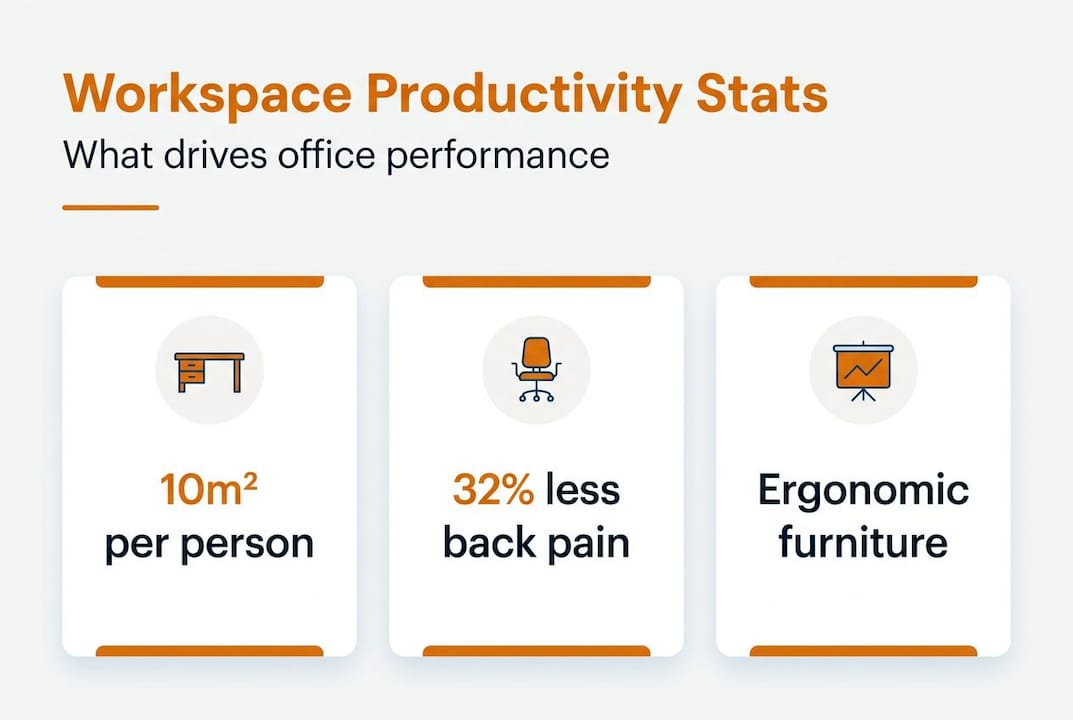
Space allocation matters more than many managers assume. The BCO guide to specification 2023 recommends at least 10m² per person to ensure comfort and optimal productivity, particularly in hybrid offices where desk-sharing is common. Falling below that threshold often leads to cramped conditions that frustrate staff and suppress performance.
| Space type | Recommended area per person | Common issue when under-allocated |
|---|---|---|
| Individual workstation | 10m² | Reduced focus, increased distractions |
| Collaborative zone | 2.5m² per seat | Poor acoustics, overcrowding |
| Meeting room | 2m² per seat | Insufficient movement, discomfort |
| Breakout area | 1.5m² per seat | Underuse, informal work spills back to desk |
Staff feedback is just as important as physical observation. Short surveys or brief one-to-one conversations often surface problems that aren’t visible during a walkthrough. Employees know exactly which parts of their setup cause them pain or slow them down. Tap into that knowledge before finalising any purchasing decisions.
You are also legally required to conduct Display Screen Equipment (DSE) assessments for all staff who regularly use computers. HSE DSE assessments cover both office and home setups, and they highlight edge cases that a general audit might miss, such as employees with different body proportions or those splitting their week between the office and home working.
Pro Tip: When optimising hybrid office teams, cross-reference your DSE findings with your hybrid attendance data. You may find that certain days see desk demand spike, which means your standard headcount figures will underestimate peak requirements.
Once you have your audit findings together, review your space-saving furniture examples to understand which product types solve the most common space and ergonomic problems before you start comparing prices.
Once your assessment is complete, you can begin making informed choices about office furniture to support productivity and wellbeing. Ergonomics is not a luxury add-on. It is the baseline requirement for any workspace where people spend more than two hours a day seated.
The most direct evidence comes from data on musculoskeletal disorders (MSDs), which are the leading cause of work-related absence in the UK. The HSE posture guide notes that ergonomic furniture significantly reduces MSD risk, and sit-stand desks in particular have been shown to cut back pain by 32%. That is a meaningful reduction in both employee suffering and the lost working days that follow.
How to compare ergonomic chairs effectively:
| Feature | Basic task chair | Mid-range ergonomic chair | Premium ergonomic chair |
|---|---|---|---|
| Lumbar support | Fixed | Adjustable | Dynamic, self-adjusting |
| Seat depth | Fixed | Limited adjustment | Full adjustment range |
| Armrests | Fixed height | Height-adjustable | 4D adjustable |
| Weight capacity | Up to 110kg | Up to 130kg | Up to 150kg+ |
| Warranty | 1 year | 3 years | 5 years+ |
| Best suited for | Low-use environments | Standard offices | High-demand daily use |
When selecting chairs for a team, resist the temptation to buy one model and apply it universally. People vary enormously in height, weight, and sitting posture. A chair that suits a 5ft 4in team member perfectly may be completely wrong for someone 6ft 2in. Shortlist two or three models across different size ranges and request samples before placing a bulk order.
Practical steps for ergonomic furniture selection:
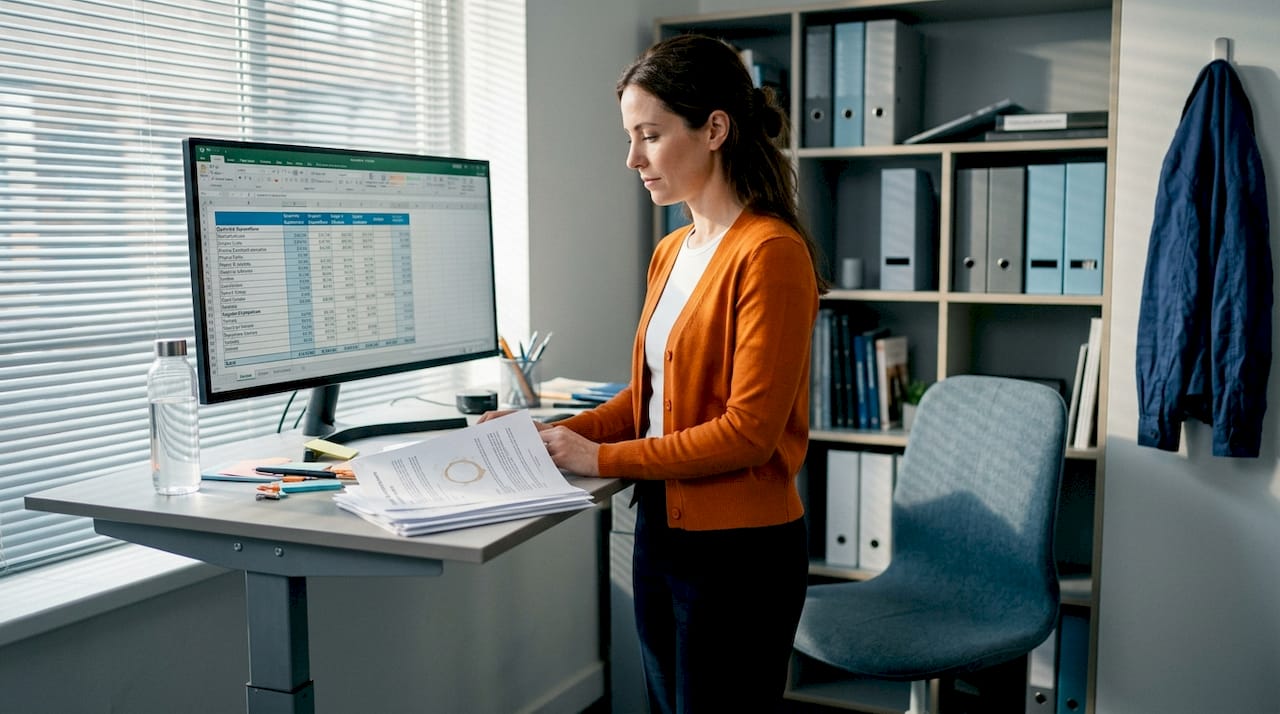
For desks, height adjustability is now a standard expectation in well-run offices. The top ergonomic desks available in the UK market range from budget-friendly hand-crank options to fully motorised units with programmable height memory. Motorised desks remove friction from height changes, which means employees are far more likely to actually alternate between sitting and standing throughout the day.
Pro Tip: When reviewing your optimising furniture workflow, map furniture choices to job roles rather than just headcount. A designer working with dual monitors has very different needs to a finance analyst who mostly works from a single laptop.
It is also worth reviewing your executive office design requirements separately. Senior leadership spaces often require furniture that communicates authority and focus while still meeting the same ergonomic standards as the wider office.
Having explored ergonomic furniture, the next step is to rethink your space layout for both comfort and versatility. The shift to hybrid working has fundamentally changed how offices need to function. Many businesses now run at 60 to 70 percent desk occupancy on peak days, which creates an opportunity to redesign layouts that were originally built for full-time, five-day attendance.
The BCO guide to specification 2023 recommends 10m² per person as the baseline, but in hybrid offices the calculation changes. If your team of 40 has a peak attendance of 28 on any given day, you are designing for 28 people, not 40. That frees up meaningful floor area for collaborative zones, quiet focus rooms, or breakout spaces that staff actually want to use.
| Office type | Peak attendance rate | Desk-to-employee ratio | Space priority |
|---|---|---|---|
| Traditional fixed | 100% | 1:1 | Individual workstations |
| Hybrid (moderate) | 60-70% | 0.7:1 | Mix of desks and collaboration |
| Hybrid (agile) | 40-50% | 0.5:1 | Collaboration, hot-desking, focus pods |
| Remote-first with hub | Under 30% | 0.3:1 | Meeting rooms, creative spaces |
Space-saving strategies for compact offices:
Efficient space utilisation becomes particularly critical when you are managing a refurbishment on a tight budget. Spending less per square metre on inefficient layouts wastes money twice: once on the wrong furniture, and again on the productivity losses that follow.
For offices where space is the primary constraint, space-efficient desk guidance offers practical product comparisons tailored specifically to UK office managers working within tight floor plans.
The most effective hybrid layouts separate the office into distinct zones: focus zones for deep individual work, collaboration zones for team discussions and brainstorming, and social zones for informal interaction. Each zone benefits from different furniture types, acoustic properties, and lighting levels. Getting this zoning right is what separates a functional hybrid office from one that frustrates both in-office and remote workers on rotation.
To further increase productivity, it’s crucial to address both workstation types and storage strategies. Height-adjustable desks have moved from a niche offering to a mainstream expectation in modern UK offices, and for good reason. The HSE posture guide makes clear that prolonged static sitting is a leading contributor to musculoskeletal problems, and that alternating between sitting and standing during the working day measurably reduces those risks.
The proven standing desk benefits go beyond back pain reduction. Staff who regularly alternate posture report improved concentration, lower afternoon energy slumps, and higher overall job satisfaction. In practical terms, that translates to fewer sick days and more consistent output across the working week.
How to implement sit-stand workstations effectively:
For more on how these products work and what to look for, sit-stand desks explained covers the key technical considerations without unnecessary jargon.
Storage is the other side of the productivity equation that often gets overlooked in favour of seating and desks. Cluttered workstations are a genuine productivity drain. Research in environmental psychology consistently links visual clutter to reduced cognitive performance and increased stress. Yet storage is frequently the last item on a refurbishment budget.
Storage solutions that make a real difference:
Good office storage optimisation is not just about finding space for things. It is about creating a system that keeps workstations clear, reduces time spent searching for documents or equipment, and supports a clean, professional working environment.
Pro Tip: When specifying storage for a hybrid office, allocate personal lockers or secure pedestals for each employee even if they do not have a fixed desk. The ability to store personal items builds psychological ownership of the space, which increases engagement and reduces the sense of being a temporary visitor in the office.
Most office furniture guides treat productivity as a problem you solve once and move on. Buy the right chairs, lay out the desks sensibly, install a few sit-stand units, and you’re done. That framing is appealing because it’s tidy, but it doesn’t reflect how real offices work.
In practice, productivity from office furniture requires ongoing management. Teams grow. Staff turnover brings new employees with different physical requirements. Hybrid working patterns shift from one quarter to the next. A layout that worked brilliantly in 2024 may be actively working against you by 2026 if no one has revisited it.
The HSE DSE assessment requirement isn’t just a compliance box to tick at onboarding. It’s a regular checkpoint that forces you to look at how actual employees are actually working, including edge cases that bulk purchasing decisions tend to ignore. Someone who is particularly tall, someone managing a health condition, or a team member splitting their week between a well-equipped office and a poor home setup all need individual attention that a single office-wide specification won’t cover.
What separates high-performing workplaces from average ones is not the initial furniture investment. It is the commitment to treating the workplace as something that needs active management, not just periodic replacement. That means building ongoing furniture workflow reviews into your annual planning cycle, collecting genuine feedback rather than assuming everything is fine, and being willing to make targeted adjustments when the evidence calls for it.
The businesses that get the best return on their furniture investment are the ones that stay curious about how their teams are working and respond accordingly.
Furniture for Business supplies ergonomic chairs, height-adjustable desks, and smart storage solutions designed specifically for UK commercial offices. Whether you are fitting out a new space or refreshing an existing one, the range is built for teams of 5 to 500 with free delivery to the UK mainland.
From top ergonomic desks and sit-stand desks explained to space-saving storage and executive seating, every product is selected for durability and practical performance in real working environments. Bulk order pricing and easy returns make procurement straightforward for office managers working to tight timelines and budgets. Explore the full range at Furniture for Business and request a quote tailored to your team’s specific needs.
The BCO guide to specification 2023 recommends at least 10m² per employee to ensure comfort and optimal productivity, particularly in hybrid office environments where desk-sharing is in use.
According to the HSE posture guide, sit-stand desks reduce back pain by 32%, improving day-to-day comfort and contributing to more consistent productivity across the working week.
HSE DSE assessments identify individual employee needs that a general office audit misses, ensuring furniture choices reduce musculoskeletal risk and meet your legal obligations as an employer.
Managers should complete a structured office audit, gather staff feedback, and review current DSE assessments before making any purchasing decisions, as these three steps together reveal the real gaps in the existing setup.

Phone: 0330 043 4114
VAT no. GB 991 8681 60
Company no. 07250570