TL;DR:
- Poor desk arrangements can reduce collaboration, morale, and productivity unnoticed over time.
- Designing layouts based on actual attendance, team needs, and infrastructure ensures a functional workspace.
- Ongoing feedback and flexible planning are essential for maintaining an effective and future-proof office environment.
Poor desk arrangement costs more than most managers expect. Teams placed too far apart lose spontaneous communication, while cramped rows breed noise complaints and distraction. One poorly planned layout can quietly erode collaboration, morale, and output before anyone pinpoints the cause. This guide walks you through a practical, evidence-based framework for arranging office desks in a way that genuinely works for your people and your business. Whether you are refitting a single floor or planning a full office overhaul, the steps here will help you avoid the most common mistakes and create a workspace that performs as well as it looks.
| Point | Details |
|---|---|
| Assess real usage | Always design layouts for actual attendance and usage, not just headcount. |
| Choose flexible layouts | Hybrid and modular arrangements work better for modern, adaptable teams. |
| Focus on team needs | Prioritise workflows, communication, and staff preferences over aesthetics alone. |
| Pilot and adapt | Test changes in small phases and collect staff feedback to avoid costly mistakes. |
| Invest in ergonomic furniture | The right desks and chairs can improve both wellbeing and performance. |
Before you move a single desk, you need an honest picture of what you are working with. Start by measuring your available floor area and noting every constraint: load-bearing columns, fixed power points, emergency exit routes, windows, and ventilation units. These are not minor details. A layout that ignores a structural column will frustrate your team every day.
Next, map out your team functions. Not every role needs the same environment. Developers often need quiet and sustained focus, while sales teams thrive on proximity and quick verbal exchanges. HR staff may need a degree of acoustic privacy. List these needs explicitly before you begin sketching any arrangement.
Attendance rates matter far more than headcount. Layout impacts behaviour more than most managers expect, and designing for your actual attendance, typically 50 to 60 percent in hybrid workplaces, rather than your full headcount, will prevent you from overfilling the space and creating a layout that only works on the quietest days.
Here is a quick checklist to complete before choosing any arrangement:
Good office space planning also accounts for future growth. If you expect to hire 20 percent more staff within 18 months, build that flexibility into the layout now rather than facing a disruptive reshuffle later.
| Factor | What to measure | Why it matters |
|---|---|---|
| Floor area | Square metres available | Determines desk count and circulation space |
| Attendance rate | Average daily occupancy | Prevents overcrowding and wasted desks |
| Team interaction | Frequency of collaboration | Guides clustering or separation decisions |
| Infrastructure | Power, data, lighting positions | Constrains desk placement options |
| Growth forecast | Headcount change over 12 to 24 months | Ensures layout remains usable long-term |
Pro Tip: A common mistake is planning for 100 percent occupancy. Design for your real attendance rate and you will create a more comfortable, functional space that does not feel chaotic on busy days.
Once you have captured your constraints and goals, the next step is identifying the most effective layout approach for your organisation. There is no single correct answer, but understanding the trade-offs of each style will sharpen your decision considerably.
Open-plan layouts remain popular, but the evidence is more nuanced than the trend suggests. Open-plan offices reduce face-to-face interaction by roughly 70 percent and push communication towards digital channels, which surprises most managers who assume the opposite. Proximity to high performers, however, can lift individual productivity by around 15 percent, so placement within open-plan spaces still matters.
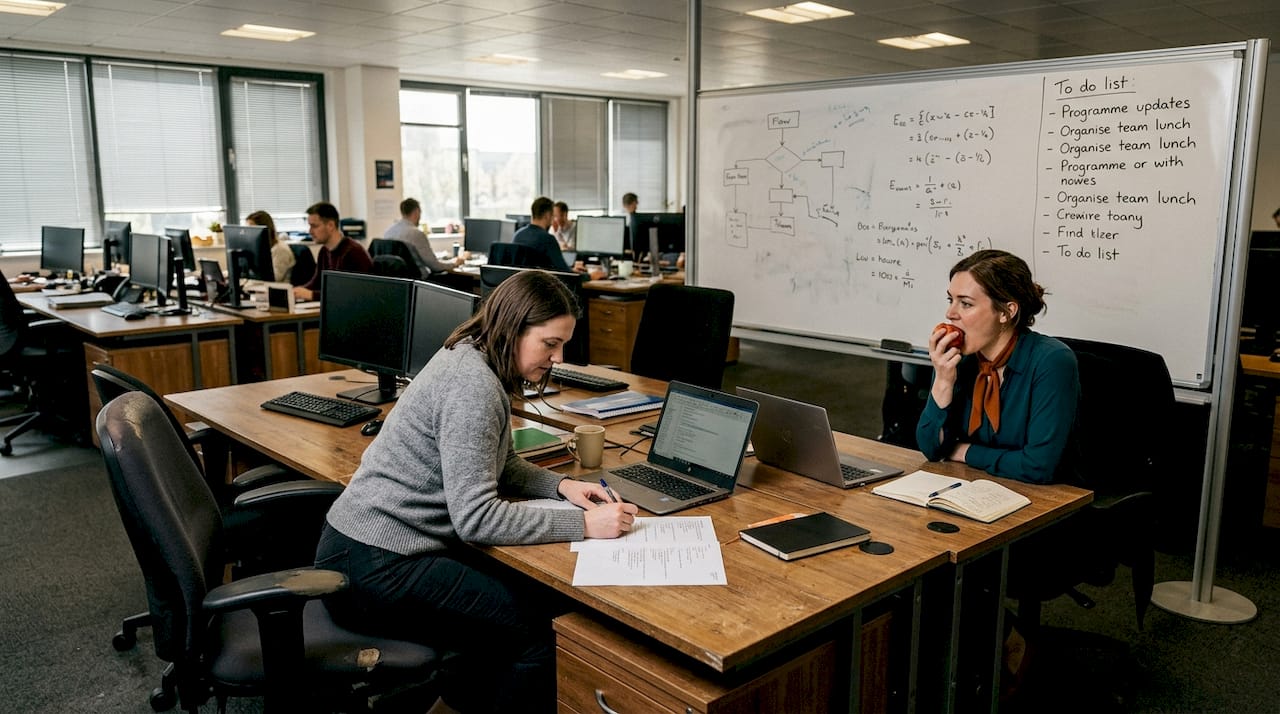
Cluster or pod layouts group four to six desks together, typically facing inward or in an L-shape. These work well for project-based teams that need quick verbal exchanges without broadcasting conversations across the whole floor.
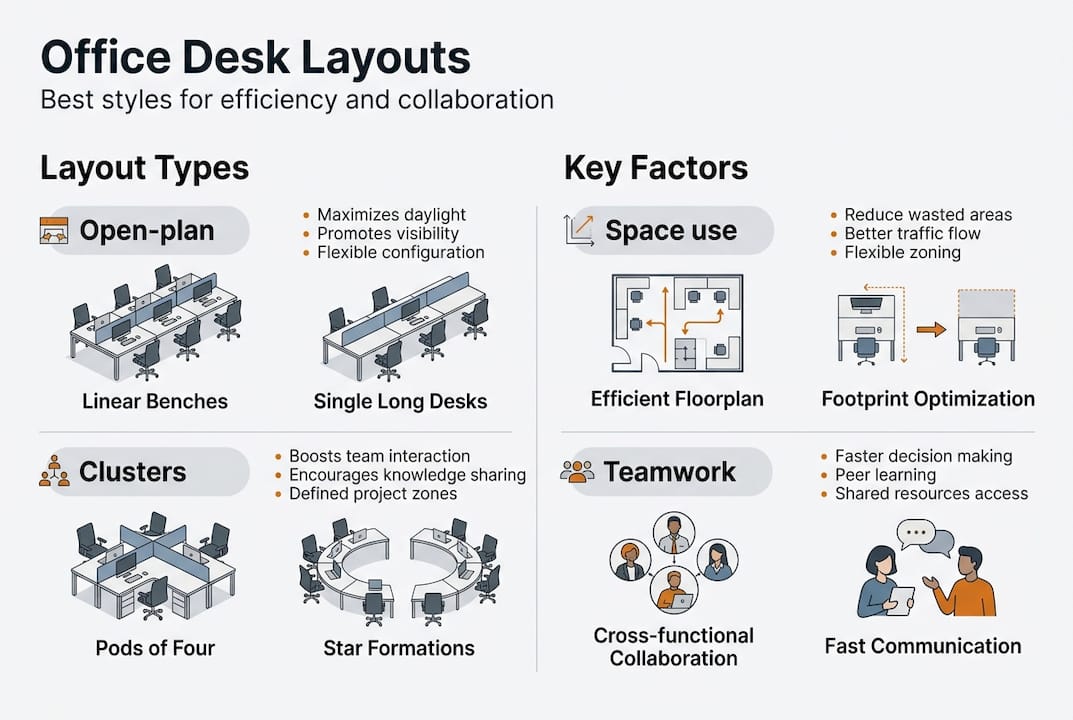
Classic rows suit call centres or data-entry environments where individual focus and supervisor oversight matter more than lateral collaboration. They are space-efficient but can feel impersonal and are poorly suited to creative or cross-functional teams.
Activity-based working (ABW) and hybrid layouts assign zones rather than fixed desks. Staff choose their setting based on the task at hand. This approach supports genuine optimising furniture workflow and is increasingly common in UK offices adapting to hybrid attendance.
“The assumption that removing walls increases collaboration is not supported by the data. Open-plan offices often push people into headphones and screens rather than conversations.”
Use this numbered process to select your layout style:
| Layout style | Best for | Collaboration level | Space efficiency | Flexibility |
|---|---|---|---|---|
| Open-plan | Large teams, visibility | Moderate (often digital) | High | Low |
| Clusters/pods | Project teams | High | Moderate | Moderate |
| Classic rows | Focused, repetitive tasks | Low | Very high | Low |
| Activity-based | Hybrid, multi-role teams | High | High | Very high |
| Hot-desking | Flexible attendance | Variable | Very high | High |
With the optimal layout chosen, it is time to turn plans into a practical, well-executed arrangement. Follow these steps to move from blueprint to a functioning workspace.
Psychosocial factors such as perceived control over one’s environment significantly affect productivity after a layout change. Staff who feel consulted and informed adapt faster and perform better.
Pro Tip: Before your pilot, share a simple one-page visual of the new layout with all affected staff. Explaining the reasoning behind the change reduces resistance and improves the quality of feedback you receive.
Arranging the desks is only as effective as the practical lessons applied and missteps avoided. Even well-intentioned projects fail when a few key factors are overlooked.
Overfilling the space is the most frequent error. Managers plan for full headcount rather than real attendance, leaving the office feeling cramped on peak days and echoing on quiet ones. Design for actual usage.
Ignoring IT and infrastructure creates expensive problems after the fact. Desks placed away from power or data points force trailing cables across walkways, creating both a safety hazard and a visual mess.
Overlooking acoustics and privacy affects wellbeing and performance. Open layouts that lack any acoustic treatment become noisy and distracting, particularly for roles requiring concentration or confidential conversations.
“Layout changes affect staff more than managers typically anticipate, particularly when psychosocial factors such as autonomy and social connection are disrupted without consultation.”
Not future-proofing the layout is a costly oversight. A layout that works perfectly for today’s team may be entirely unsuitable in 18 months if the business grows, shifts to hybrid working, or restructures teams.
Here are five practical dos and don’ts to keep your project on track:
The best layouts are not the most visually striking ones. They are the ones that quietly support how your people actually work.
Most desk arrangement guides focus on layout styles as if choosing the right one solves everything. In practice, the layout is only a starting point. What actually determines whether a rearrangement succeeds is how well it reflects the real rhythms of your team, not the aesthetic preferences of a designer or the latest workplace trend.
Open-plan offices were championed for years as the key to collaboration. The evidence now tells a different story. Hybrid and adaptive setups, where staff have genuine choice over where and how they work, consistently outperform rigid arrangements in both morale and output.
The managers who get this right share one habit: they treat desk arrangement as an ongoing process, not a one-off project. They gather feedback, adjust zones, and revisit the layout when the team changes. A productivity and style guide can help frame these decisions, but no guide replaces the knowledge your own staff hold about what slows them down.
If you are hesitant about a major change, start small. Pilot one zone, measure the response, and build from there. Incremental adjustments informed by real feedback will outperform a sweeping redesign that ignores the people using the space every day.
Once your layout plan is clear, the right furniture makes it real. At Furniture for Business, we supply commercial-grade office desks and office chairs suited to every arrangement style, from focused individual workstations to collaborative cluster configurations.
We also stock a full range of office accessories to complete your setup, including monitor arms, cable management, and acoustic screens. All orders come with free delivery to the UK mainland, and our team is on hand to support larger or more complex fit-out projects with practical planning advice. Whether you are equipping five desks or five hundred, we can help you build a workspace that works.
Clusters or hybrid layouts typically offer the best balance of collaboration and focus, particularly when tailored to actual team tasks. Hybrid ABW layouts improve flexibility, utilisation, and support a healthy mix of collaborative and focused zones.
A typical guideline in the UK is 1.5 to 2 metres between desks to allow for comfortable movement, privacy, and compliance with workplace safety standards.
Not always. Open-plan reduces face-to-face interaction by up to 70 percent, often increasing digital messaging rather than genuine collaboration.
Desk arrangements should be evaluated at least annually, or after significant team or workflow changes, to maintain both efficiency and staff morale.
Design with flexibility in mind, use modular furniture, and plan for hybrid attendance rates of 50 to 60 percent. Gather staff feedback regularly and treat the layout as a living system rather than a fixed decision.
Phone: 0330 043 4114
VAT no. GB 991 8681 60
Company no. 07250570