TL;DR:
- Monitor arms improve ergonomic screen positioning, reducing neck strain and enabling easy adjustment for multiple users. They offer superior flexibility over fixed stands, especially for height, depth, tilt, and swivel control, enhancing workspace adaptability. Proper pairing with suitable desks supports long-term comfort, productivity, and a tidy, collaborative office environment.
Monitor arms rarely make the shortlist when businesses plan an office refurbishment. Most procurement decisions focus on chairs, desks, and storage, leaving monitor positioning as an afterthought. That is a costly mistake. Understanding why monitor arms matter goes far beyond tidying up a desk. The right arm affects how your employees hold their heads and shoulders for eight hours a day, whether they can move freely between sitting and standing, and ultimately how much they can concentrate and produce. This guide covers the ergonomic principles, the practical trade-offs, and the decisions worth making before your next fit-out.
| Point | Details |
|---|---|
| Ergonomic positioning reduces injury | Monitor arms let you align screens correctly, cutting neck and shoulder strain for seated employees. |
| Adjustability beats a fixed stand | Arms offer height, tilt, swivel, and rotation control that fixed stands simply cannot match. |
| Desk compatibility matters | Check desk thickness and material before buying. Soft or thin surfaces can be damaged by clamp pressure. |
| Frequency of adjustment counts | Small, regular position changes protect long-term comfort more than the arm type alone. |
| Strong return on investment | Ergonomic accessories like monitor arms cost far less than replacing chairs or treating musculoskeletal absences. |
The single most important thing a monitor arm does is put the screen where your body needs it, not where the desk happens to put it. The recommended monitor height places your eyes level with the upper third of the screen, with the centre sitting 10 to 20 degrees below eye level. When a screen sits flat on a desk riser, you cannot fine-tune that angle. You end up bending your neck forward or straining backward.
Monitor arms for ergonomics solve this by giving you precise control over four variables: height, depth, tilt, and swivel. That combination means a 1.5-metre employee and a 1.9-metre colleague can use the same workstation and both sit correctly. A fixed stand accommodates neither of them properly.
There is also a less obvious benefit. Small, frequent adjustments to screen position do more for long-term comfort than the mount type itself. Static posture is what causes fatigue, and a monitor arm removes the barrier to repositioning throughout the day. That freedom to shift is genuinely protective.
Pro Tip: When setting up monitor arms across a team, spend five minutes per person adjusting height and tilt individually rather than setting every station to the same height. Bodies are different, and a one-size approach defeats the purpose.
A conventional monitor stand raises the screen by a fixed amount, takes up desk surface, and offers no adjustment once it is in place. For a static, single-user desk with no height adjustment, it can be adequate. But the moment your workplace evolves, its limitations become obvious.
Adjustable monitor arms allow precise height, depth, tilt, swivel, and rotation control, making them far more capable for dynamic environments. When employees share desks in a hybrid working model, or when you have invested in sit-stand desks for the team, a fixed stand becomes a serious obstacle. Raising a desk 20 centimetres and not moving the screen defeats half the ergonomic benefit of standing.
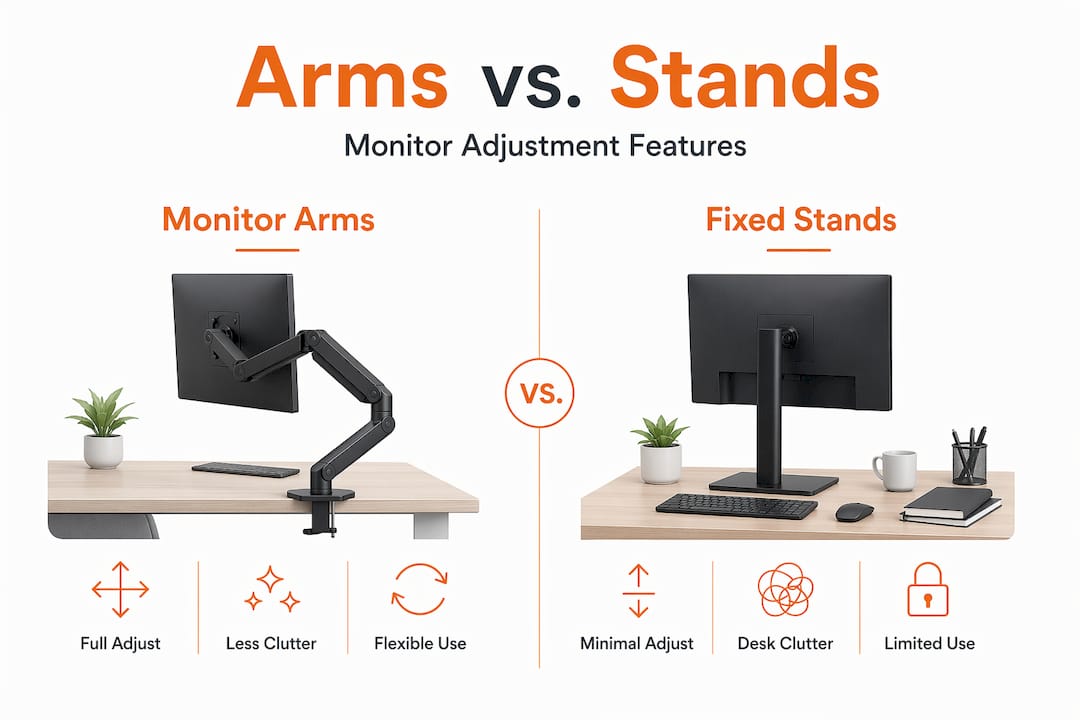
Here is a direct comparison of the two options:
| Feature | Monitor arm | Fixed stand |
|---|---|---|
| Height adjustment | Full range, continuous | Fixed or limited steps |
| Depth and reach | Fully adjustable | Fixed footprint |
| Tilt and swivel | Precise and easy | Minimal or none |
| Desk surface freed | Significant | None |
| Cable management | Integrated channels | External cables |
| Sit-stand compatibility | Excellent | Poor |
| Multi-user flexibility | High | Very low |
Beyond flexibility, integrated cable management channels built into quality arms reduce desk clutter, protect cables from accidental snags, and make a workspace look considered rather than improvised. In shared or client-facing offices, that visual tidiness matters.
The adjustable monitor arms advantages become especially clear in collaborative environments. A developer needing a screen rotated to portrait orientation for reading code can do so in seconds. A manager reviewing a document with a colleague can swing the screen round without shifting furniture. Stands offer none of this.
That said, monitor arms are not automatically better for every scenario. For a single employee working at a fixed-height desk with a monitor they never move, a quality stand at the correct height will do the job without the installation and cost. The importance of monitor arms grows with the complexity and flexibility of your workspace.
Selecting a monitor arm for a business environment involves more than picking one from a catalogue. The decisions you make here determine whether the arm performs for years or causes problems within months.
Check desk thickness and material first. Most desk clamps accommodate surfaces from 10 mm to 90 mm thick, but that only tells you whether it will fit. It does not tell you whether the desk can handle sustained clamp pressure. Particle board and budget laminate desks are particularly vulnerable. Clamp pressure on soft materials can cause indentations and surface weakening over time. If your desks are lighter construction, look for arms with wider clamp pads that distribute pressure, or choose a grommet mount instead.
Match the arm to the monitor’s weight and size. Every arm has a stated weight capacity. For commercial use, choose one rated comfortably above your monitor’s actual weight rather than at the limit. This protects against gradual drift where the arm slowly sinks over months.
Consider gas spring versus friction arms carefully. Gas spring arms feel smooth and adjust effortlessly, which sounds ideal. However, gas spring arms can produce micro-wobbles on lightweight desks because the tension system amplifies vibrations from typing. Many users end up locking gas spring arms in one position, removing the benefit entirely. On solid, heavy desks the issue is far less pronounced. Friction arms lack the smooth glide but tend to be more stable in everyday use.
Think about arm length and your desk footprint. Longer arms with multiple joints give maximum reach and flexibility. They also introduce more wobble and instability on small or lightweight desks. A shorter, single-arm design is often more stable and more than sufficient for most office use cases.
Look for built-in cable management. Routing cables through the arm keeps the desk clear and reduces the chance of cables being yanked during adjustment. It is a small detail that makes a noticeable difference in shared or high-traffic workspaces.
Pro Tip: Prioritise static load stability over maximum articulation when buying in bulk for a standard office. An arm that stays firmly where you put it will deliver better long-term satisfaction than one with impressive movement but frustrating wobble.
The benefits of monitor arms extend beyond the individual workstation. When you fit out an office with properly adjusted screens, you change the physical experience of work for everyone in the room.
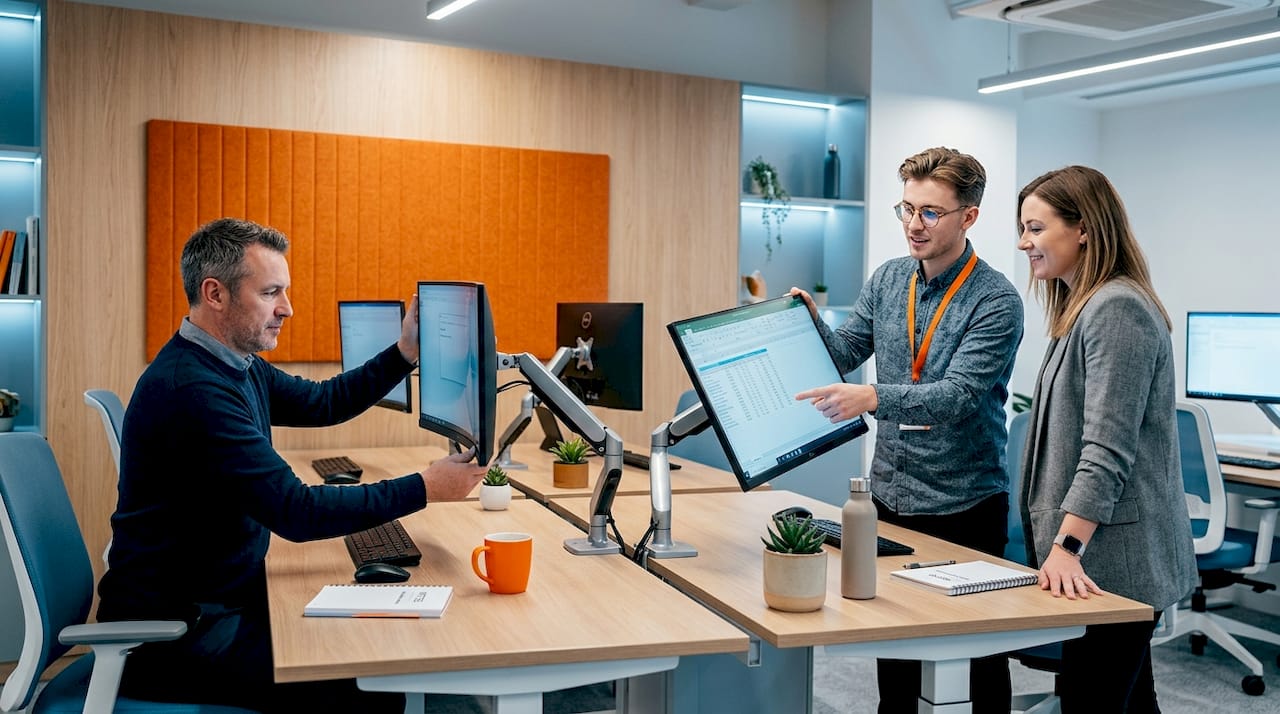
Neck and shoulder pain are among the most common musculoskeletal complaints from office workers in the UK. Positioning a screen incorrectly for eight hours a day is a consistent contributor, and it accumulates over months and years. Monitor arms directly address this by enabling correct screen placement for each user.
Monitor arms are critical for sit-stand desks because they allow employees to maintain neutral posture whether sitting or standing, without repositioning the screen manually each time. This encourages people to actually change position during the day rather than abandoning the standing function altogether. A height-adjustable desk without a compatible arm is only half an ergonomic solution. You can read more about getting the full benefit from these setups in this height adjustable desk guide.
The productivity argument is equally concrete. Ergonomic upgrades like monitor arms are more impactful on workspace comfort than many hardware investments, and entry-level options cost a fraction of upgrading processing power or replacing chairs. The desk space freed by removing a stand is also genuinely useful. In hot-desking environments, cleared surfaces support cleaner handovers and quicker setup times.
I’ve watched businesses spend real money on high-specification gas spring arms and then install them on particle board desks that wobble from the first day. The arm takes the blame, but the problem was the mismatch.
In my experience, the best monitor arms for workplaces are not always the most expensive ones. A solid, mid-range friction arm on a well-built desk will outperform a premium over-articulated arm on a lightweight surface every single time. The monitor arm features that actually matter are stable clamping, reliable tension that holds position, and practical cable routing. The rest is marketing.
The other thing I’ve learned is that monitor arms deliver their full value when they are part of a properly considered setup. Pairing them with a quality height-adjustable desk makes both investments work properly. Without that combination, you are solving half the problem. I have also seen offices fit arms and never adjust them after installation. That defeats the purpose entirely. Show your team how to use them, and the ergonomic benefit follows quickly.
Simpler is better in most commercial settings. Buy well, match the arm to the desk, and let your employees actually adjust them.
— Furnitureforbusiness
If this article has made the case clearly, the next step is ensuring your office furniture supports the investment you are about to make in monitor arms.

At Furnitureforbusiness, we supply office desks built to commercial standards, with solid surfaces and appropriate desk thickness that work reliably with monitor arm clamps. Our ergonomic office chairs are designed to complement correct monitor positioning, supporting lumbar and shoulder alignment as part of a complete workstation solution. We also stock office accessories including cable management solutions that work alongside your monitor arm setup to keep workstations clean and professional. All orders come with free UK mainland delivery, and we support bulk orders for teams of any size. Speak to our team for tailored recommendations, or browse our collections to start building a workspace that genuinely works for your people.
Monitor arms offer adjustable height, tilt, depth, and swivel control, enabling correct screen positioning for each user. They also free desk surface space and support integrated cable management for a tidier workspace.
By allowing the screen to be set at the correct height and angle, monitor arms reduce neck flexion and shoulder strain. The recommended position places the screen centre 10 to 20 degrees below eye level.
Yes. Monitor arms are particularly valuable for sit-stand desks because they allow the screen height to be adjusted as the desk rises or lowers, maintaining a neutral posture in both positions.
On softer materials like particle board, sustained clamp pressure can cause surface indentations over time. Use arms with wide clamp pads or grommet mounts on lighter desks to reduce this risk.
Not always. Gas spring arms adjust smoothly but can wobble on lightweight desks due to tension amplifying vibrations. Friction arms are less fluid to adjust but often more stable for standard office use.

Phone: 0330 043 4114
VAT no. GB 991 8681 60
Company no. 07250570