The best setup for a hot‑desking office is a blended locker system: a majority of adaptive smart or electronic day‑use lockers, topped up with a small pool of permanently assigned units for staff who genuinely need one every day. This mix handles the reality that attendance swings week to week without leaving half your locker bank empty on a Wednesday.
It works because it matches supply to actual demand rather than headcount. Adaptive smart lockers reallocate space automatically as people book in and out, so the same bank of lockers serves a rotating hybrid team without anyone manually resetting codes or reissuing keys. Client data cited in workplace locker policy research puts daily locker use at around 66% of staff, with only 54% needing one on a regular basis. Provision for the middle ground, not full headcount.
When specifying, prioritise:
A blended locker system, mostly adaptive or electronic day‑use units plus a small permanent pool, matches hybrid attendance far better than fixed assignment for every desk.
| Point | Details |
|---|---|
| Size to real usage | Provision at 60–70% of peak headcount, not full staff numbers. |
| Choose access wisely | RFID, PIN, or adaptive smart locks give an audit trail; keyed locks don’t. |
| Blend allocation models | Combine permanent, rotating, and day‑use lockers rather than one model for all. |
| Retrofit before replacing | Electronic lock modules and USB rails extend the life of sound existing cabinetry. |
| Specify with Furniture For Business | Their office storage range supports day‑use, rotating, and permanent locker configurations for hybrid offices. |
Fixed desks meant fixed lockers: one person, one key, no questions. Hot desking breaks that logic completely. Attendance now varies by day, team, and even weather, so the number of people needing storage on any given morning is unpredictable, while the amount of storage installed is fixed the day the lockers arrive.
That mismatch creates two familiar headaches. Dead allocations pile up when someone assigned a locker two years ago now works from home three days a week, and facilities teams end up mediating disputes over who “owns” a locker nobody has opened in a month. Manually reissuing keys or resetting codes to fix this eats admin time that nobody budgeted for.
The fix starts with sizing to real behaviour rather than seating capacity. Analysis behind the Yellowbox locker policy template found around 66% of staff use a locker on any given day, with only 54% needing one consistently.
Mechanical keyed locks are cheap and familiar, but they’re the worst fit for hot desking: lose a key and you’re rekeying or drilling out a barrel, and there’s no record of who opened what, when. Mechanical combination locks solve the lost‑key problem but still leave you resetting codes by hand every time someone leaves the business, which becomes a real chore once you’re managing more than a few dozen units.
Electronic PIN locks and RFID/fob access change the equation. Both log every open and close, which matters when HR or security needs to know who accessed a locker on a given date. RFID tends to suit environments where staff already carry a building fob, since it avoids yet another code to remember. Biometric locks add a further layer of certainty but cost more per door and raise data‑protection questions worth clearing with your DPO before you commit.
Adaptive smart lockers sit above all of these. Rather than fixed assignment, they respond to live demand, letting one bank of lockers serve day‑use, rotating, and even permanent users without manual reconfiguration.
| Access type | Best suited to | Audit trail | Admin burden |
|---|---|---|---|
| Keyed mechanical | Small, static teams | None | High (rekeying) |
| Mechanical combination | Low‑turnover shared use | None | Medium (manual resets) |
| RFID/fob | Day‑use and rotating pools | Yes | Low |
| Electronic PIN | Mixed permanent and rotating | Yes | Low |
| Biometric | High‑security, low‑volume | Yes | Medium (enrolment) |
| Adaptive smart | Hot desking at scale | Yes | Very low |
Pro Tip: Don’t mix keyed lockers with digital ones in the same bank if you can avoid it. Staff will always try the wrong door first, and you’ll end up running two separate reissue processes for one wall of storage.
Three models cover almost every hot‑desking scenario, and the strongest hybrid workplaces tend to run a blend rather than picking just one, according to shared locker management guidance.
Compartment size matters more than most specs sheets suggest. A laptop bag, coat, and gym kit need roughly 300mm width and 400mm depth minimum; anything smaller and staff simply won’t use the locker, defeating the point of installing it. Ventilation slots prevent the damp‑coat smell that plagues badly specified banks, and a powder‑coated steel finish holds up far better than laminate under daily door‑slamming.
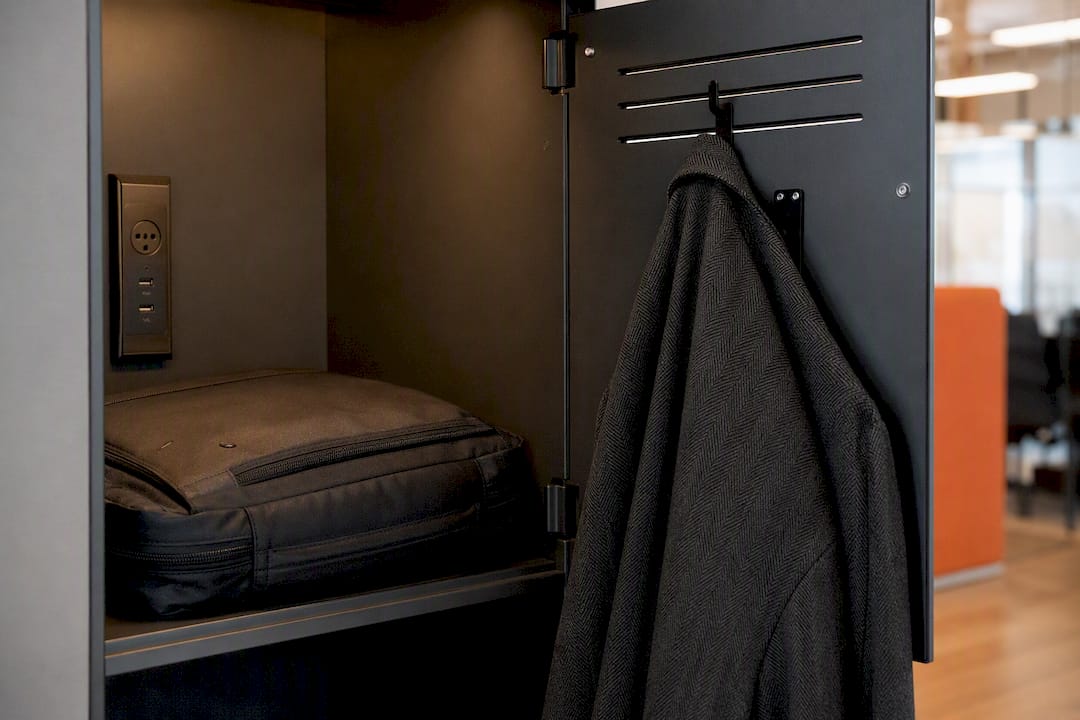
On the technology side, built‑in USB or USB‑C charging inside the compartment is now expected rather than a bonus, particularly where staff are charging phones and laptops during the day. Networked locks that log every access event give facilities teams the audit trail needed to resolve disputes and feed usage data back into provisioning decisions.
| Feature | What to specify |
|---|---|
| Compartment size | 300mm W x 400mm D minimum for laptop bags |
| Security | RFID or electronic PIN with event logging |
| Power | Internal USB/USB‑C charging point |
| Finish | Powder‑coated steel, ventilated door |
| Footprint | Bank depth under 500mm for narrow corridors |
Pro Tip: Ask for a sample compartment before ordering a full run. Photos rarely convey how tight a “standard” locker feels once a winter coat and a 15‑inch laptop are both inside.
Work through this sequence rather than jumping straight to quotes:
Ask any shortlisted supplier these questions directly: What’s the warranty period on locks versus cabinetry? What’s the lead time from order to delivery? Who owns the access data, and can it export to our existing HR or booking system? Can the unit be retrofitted later if we change lock type?
Watch for red flags: no audit trail on digital locks, vague answers about data ownership, or a “reconfiguration” process that requires an engineer visit every time you change an allocation. A practical KPI framework worth asking suppliers to support includes utilisation rate, reassignment cycle time, and exception ticket rate.
Budget six to ten weeks from order to installation for a standard bank, longer if bespoke finishes or networked integration are involved.
Full replacement isn’t always necessary. Three retrofit paths cover most upgrades:
Check power availability, network coverage, and physical clearance before committing to any retrofit run.
Pro Tip: Retrofit makes sense when your existing carcasses are structurally sound and less than eight years old. Beyond that, worn hinges and dated compartment sizing usually make full replacement the better spend.
A day‑use locker for laptop and coat storage typically runs 300mm wide, 500mm deep, 400mm tall, with RFID or electronic PIN access. Permanent lockers for equipment‑heavy roles often step up to 450mm wide with adjustable shelving.
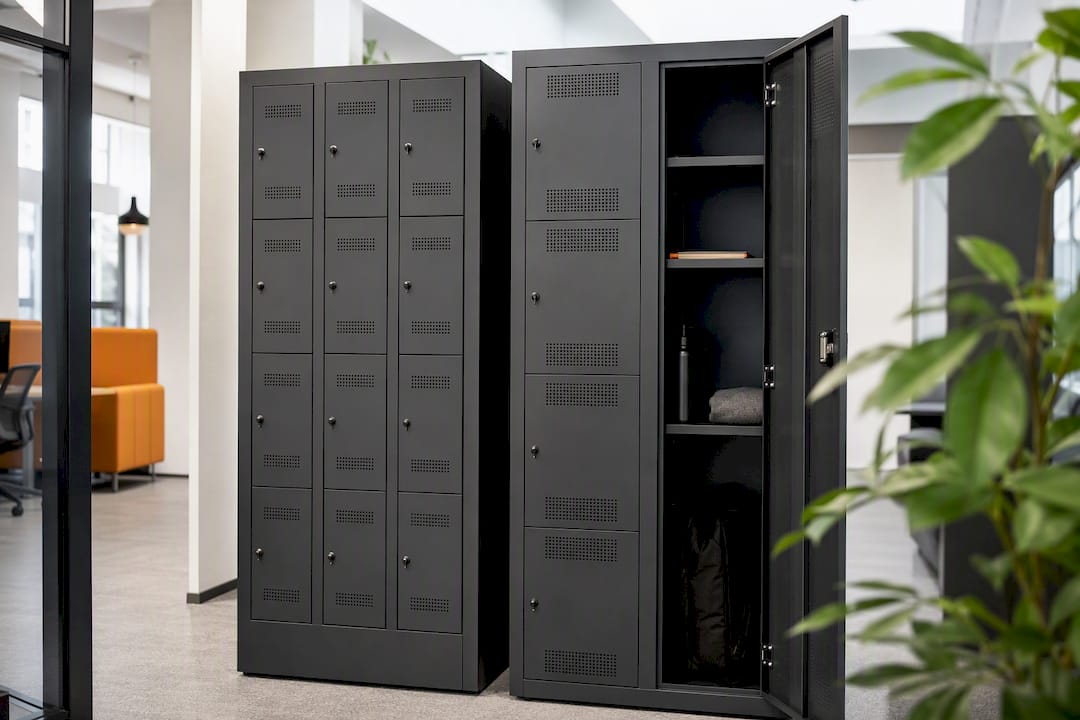
As a layout rule of thumb, plan for one locker per two to three hot desks, adjusted against your own attendance data once the 66% daily usage benchmark has been checked against your own building.
Position banks close to hot‑desking neighbourhoods rather than tucked away near reception. Staff will simply avoid a locker that’s a two‑minute walk from their desk, no matter how well specified it is.
The most common mistake we see is over‑provisioning: buying enough lockers for every desk “just in case,” then wondering why half the bank sits empty within a month while staff still complain about availability at 9am on Mondays.
The fix is simpler than it sounds. Size to real attendance data, add a review point at ninety days, and build reassignment rules into policy from the start rather than firefighting disputes later.
Furniture For Business supplies the storage systems that make blended locker strategies work in practice, not just on paper, backed by free delivery to the UK mainland on qualifying orders. Our office storage range covers day‑use, rotating, and permanent locker configurations, so you’re not locked into a single access type before you’ve tested attendance patterns.
If you’re planning a hybrid rollout, browsing storage solutions built for efficiency is a good starting point before you write a spec. For teams also refreshing desks alongside storage, our office desks range pairs naturally with locker banks positioned near hot‑desking neighbourhoods. Get in touch for a spec review or sample order, and we’ll help you match locker type, quantity, and layout to your actual attendance data rather than a worst‑case headcount guess.
How many lockers do I need per hot desk?
Plan for roughly one locker per two to three hot desks, then adjust using your own attendance figures once you have a few weeks of real data.
Are electronic lockers worth the extra cost over mechanical ones?
For anything beyond a handful of units, yes. The audit trail and remote reassignment save enough admin time to justify the premium within the first year.
Should every member of staff get a permanently assigned locker?
No. Reserve permanent allocation for staff with genuine daily needs, such as medical equipment or specialist kit, and put everyone else through a rotating or day‑use pool.
Can existing steel lockers be converted to electronic access?
Often yes, provided the carcass is structurally sound. Retrofit lock modules and RFID pads can be fitted without replacing the whole unit.
What’s a realistic lead time for a locker installation project?
Budget six to ten weeks from order to installation for standard configurations, extending to eight to ten weeks for adaptive smart systems or bespoke finishes.
Phone: 0330 043 4114
VAT no. GB 991 8681 60
Company no. 07250570