An executive chair is ergonomic only if it gives the user the adjustability and fit their body and task demands: style alone does not make a chair supportive. The Health and Safety Executive’s guidance on display screen equipment sets the working standard for what a suitable chair provides. The sections below cover the features to specify, how to set a chair correctly, employer duties, what the evidence indicates, and how to run a sensible procurement trial.
TL;DR:
- A supportive executive chair must include adjustable seat height, lumbar support, backrest tilt, and armrest customization, regardless of appearance.
- Fixed features like a high back or heavy padding do not guarantee ergonomic support and can hinder proper adjustment for individual users.
- Conducting trial fittings and user training before large orders ensures the chair’s adjustability and fit meet ergonomic standards.
- Employers are responsible for workstation assessments, including chair adjustments, and must keep records to comply with health and safety guidelines.
- Evidence on dynamic seating suggests limited long-term benefits, so these features should be tested through user feedback rather than assumed to prevent back pain.
“Executive” describes a look: high back, leather or leather-effect upholstery, chrome or polished bases, generous padding. “Ergonomic” describes a function: the chair adjusts to fit the person using it and the task they are doing. The two are not opposites, but they are not the same thing, and procurement teams that buy on appearance alone often end up with chairs staff cannot properly adjust.
Certain executive features look supportive but guarantee nothing on their own:
The procurement fix is straightforward: specify the adjustments required, not the label. A chair described as “executive” should still meet the same functional checklist as any other seating, covered in the range of ergonomic chair types worth reviewing before drafting a tender.
A specification document should name each adjustment rather than trust a supplier’s marketing copy. The HSE’s DSE workstation checklist lists the core seating checks that any suitable chair, executive-styled or not, needs to pass.
Pro Tip: Ask suppliers for the chair’s weight rating and warranty terms in writing before ordering; a heavier executive frame needs a rating that matches its intended user group, not just its list price.
Chairs sold under the high-back executive leather category vary widely on these points, so check each one against the list above rather than assuming the category guarantees them.
Even a fully adjustable chair does nothing for posture if it is left on factory settings. The HSE’s posture guidance recommends setting the chair before touching the desk or screen.
Correct setup is not a one-off task. Scheduled micro-breaks, rotating between seated and standing tasks where a height-adjustable desk is available, and short walks away from the screen all reduce the strain of long stretches in any chair. If a user reports ongoing discomfort after correct setup, that is the point to escalate for a formal assessment or consider replacing the chair rather than adjusting it further.
Employers have specific obligations once staff use display screen equipment daily or continuously as a significant part of their normal work. The HSE’s DSE guidance sets out what those duties involve, including for hot-desking and home-based staff.
Chair procurement should tie directly into this process: trial candidate chairs at the actual desks staff will use, train users on the adjustments once a chair is chosen, and keep the completed DSE workstation checklist on file. A structured ergonomic workspace checklist makes this easier to repeat consistently across a whole office.
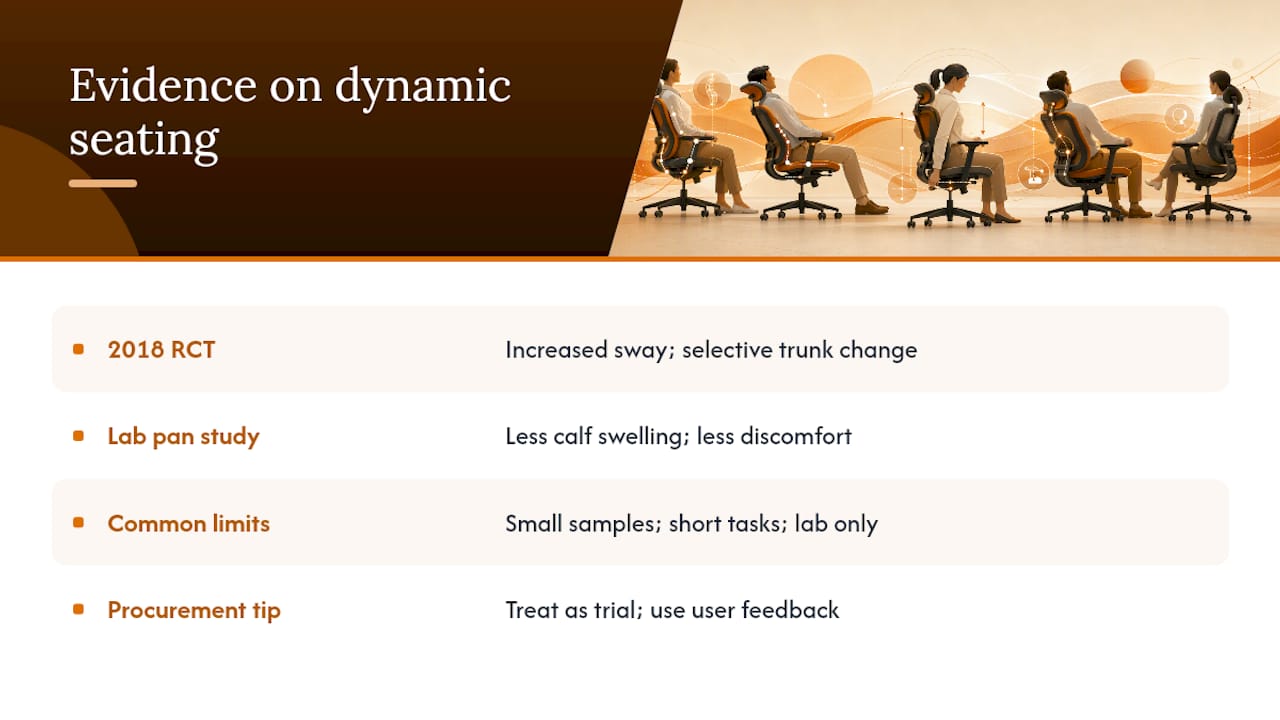
Dynamic seating, chairs that allow or encourage small movements of the seat pan or backrest, has genuine research behind it, but the findings are mixed rather than conclusive. A 2018 randomised crossover study found dynamic-chair sway increased during task transitions with selective changes in trunk muscle activity, though this does not support a blanket claim that dynamic chairs prevent back pain for every user. Separate laboratory work on a multiaxial dynamic seat pan found reduced calf swelling and lower perceived discomfort during prolonged sitting, but the researchers noted that longer-term effects still need establishing.
Both studies share the same limitations: small sample sizes, controlled short-duration tasks, and lab conditions rather than a full working day. For procurement, the sensible reading is to treat dynamic features as a trialled enhancement rather than a guaranteed fix, and to let user feedback from a real trial decide whether the extra cost is worth it.
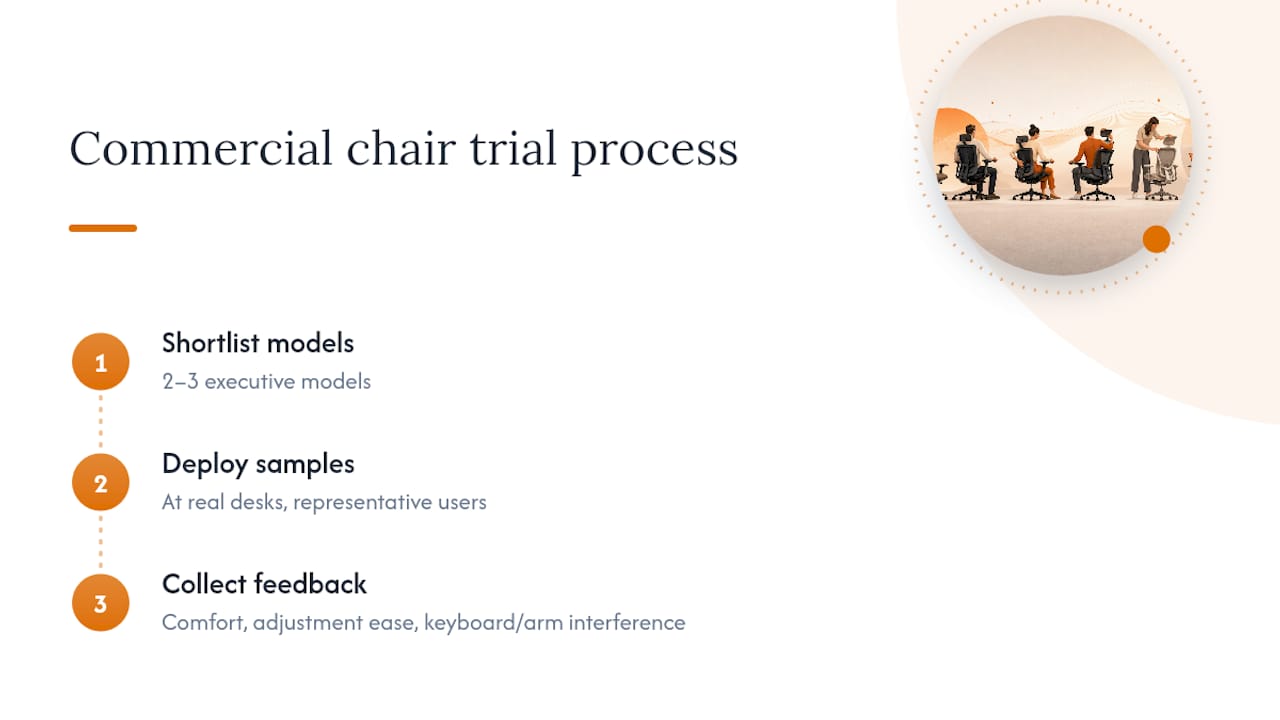
Running a short, structured trial before committing to a bulk order avoids expensive mistakes. A useful approach is to shortlist two or three executive models, place samples at real desks for a representative cross-section of users, and collect standardised feedback covering comfort over a full shift, ease of adjustment, and any interference with keyboards or monitor arms.
Specifications sent to suppliers should state the minimum adjustments required (seat height, backrest height and tilt, lumbar position, seat depth or pan, armrest adjustment), the weight rating needed, and expectations on warranty and returns. Where budgets allow, pairing adjustable chairs with height-adjustable desks gives staff more control over posture through the day, and building in short user training sessions ensures the adjustments actually get used once the chairs arrive.
This week, run a short desk-side trial with two or three shortlisted chairs, issue the DSE checklist to trial users, and arrange a brief training session on how to adjust whatever chair gets chosen. Adjustability and fit for the individual user will always matter more than how the chair looks in a boardroom.
— Furniture
There are commercial ranges of ergonomic and executive seating built for the adjustments covered above, alongside bulk and bundle pricing for teams placing multiple orders at once. Orders often include delivery and may offer returns policies allowing straightforward returns within a returns window if a trialled chair does not suit your team once it is in daily use.
Models such as the Saturn executive chair with folding arms show how executive styling and the required adjustments can sit in the same chair, while heavier-use options like the Austin heavy-duty task operator chair suit teams needing a higher weight rating. Browse a full office chairs range to request a sample trial or a procurement quote for your next fit-out.
The HSE’s DSE posture guidance and workstation checklist cover practical setup and compliance. HSG57 seating guidance and the cited Applied Ergonomics and PubMed studies support the clinical evidence discussed above.
An executive chair is defined by its styling, typically a high back, leather or leather-effect upholstery and a premium base, while an ergonomic chair is defined by adjustable features that support posture. The two overlap when an executive-styled chair also includes proper seat height, lumbar, tilt and armrest adjustment, as recommended in HSE guidance.
The best choice is whichever executive chair provides full adjustability, a supportive lumbar section, and a seat depth that fits the individual user, tested at their own desk rather than judged by appearance. Furniture for Business stocks executive models built with these adjustments in its office chairs range, suited to trial-based procurement.
There is no single agreed “best in class” chair by this description, and definitions vary depending on who is asked. What matters more for a workplace purchase is whether a chair meets the functional checks in the HSE’s DSE checklist, regardless of brand reputation.
Correct use means setting seat height so feet sit flat on the floor or a footrest, adjusting the backrest so the lumbar area is supported, setting seat depth to leave a small gap behind the knee, and positioning armrests so forearms sit roughly horizontal. The HSE’s posture guidance recommends setting the chair fully before adjusting the screen height to eye level.

Phone: 0330 043 4114
VAT no. GB 991 8681 60
Company no. 07250570