TL;DR:
- Hybrid working has led to underused office space, prompting the need for utilization audits and redesign.
- Rightsizing offices to around 15m² per person and adding varied zones can save 20-30% on costs.
- Ergonomic workstations and smart design elements significantly improve employee well-being and productivity.
Walk into most UK offices on a Tuesday morning and you will see a familiar sight: rows of empty desks, booking systems showing 40% capacity, and meeting rooms sitting dark until lunchtime. Yet the rent, rates, heating, and cleaning costs stay exactly the same whether the office is half-full or completely packed. Hybrid working has permanently changed how and when people use office space, and businesses that cling to pre-pandemic layouts are paying a steep price for it. This guide walks you through every practical step to audit, redesign, and future-proof your workspace so it genuinely works for the people using it and the budget funding it.
| Point | Details |
|---|---|
| Audit real office usage | Tracking attendance patterns ensures your space matches actual needs and prevents costly waste. |
| Rightsize for cost savings | Using the 15m² per person benchmark can reduce overhead by up to 30 percent. |
| Focus on ergonomics | HSE-compliant, adjustable furniture is crucial to wellbeing and productivity in any optimised space. |
| Smart design pays off | Simple design improvements like natural light and acoustics boost productivity and satisfaction dramatically. |
| Offer workspace variety | Blending zones for focus and collaboration supports culture, sustainability, and happy staff. |
Before you move a single desk or order a single chair, you need a clear picture of how your space is actually being used right now. Workplace utilisation is the percentage of available workstations, meeting rooms, and zones that are occupied at any given time. For hybrid offices, the gap between what you have and what you use can be enormous.
Step-by-step: running your audit
The BCO’s guidance on space planning sets a 66% utilisation benchmark as the target for hybrid offices. If your audit reveals you are regularly sitting at 30 to 40%, you have a significant optimisation opportunity on your hands.
| Zone | Current utilisation | Target utilisation | Action required |
|---|---|---|---|
| Hot-desks | 38% | 65% | Reduce desk count, add storage |
| Meeting rooms (small) | 72% | 75% | Already well used, maintain |
| Meeting rooms (large) | 19% | 50% | Convert one to focus pods |
| Breakout area | 28% | 60% | Improve furniture, reposition |
| Phone booths | 81% | 75% | Add one additional booth |
Good office space planning best practices always start with this kind of data. Without it, any redesign is guesswork.
Pro Tip: Involve team leaders and staff from different departments before you finalise your audit approach. People know where the real pinch points are, which zones feel crowded and which are avoided, and their input will save you time and improve accuracy considerably.
Once you know your real usage, you can match your space to actual needs rather than to assumptions made years ago. Rightsizing simply means adjusting the amount of space you occupy or configure to reflect your real workforce patterns. Done properly, it is one of the most impactful financial levers available to any office manager.
The British Council for Offices has updated its guidance to reflect hybrid realities. The new BCO space benchmark is 15m² per person for hybrid settings, an increase from the traditional 12.5m². That increase sounds counterintuitive until you understand the reasoning: hybrid offices need more varied space types per person, not simply more desks. The additional square metres go towards collaboration zones, focus areas, and wellbeing spaces rather than rows of fixed workstations.
| Metric | Traditional office | Hybrid office |
|---|---|---|
| Space per person | 12.5m² | 15m² |
| Desk-to-employee ratio | 1:1 | 0.6:1 to 0.8:1 |
| Meeting room allocation | 15% of floor area | 25% of floor area |
| Breakout and social space | 5% of floor area | 15% of floor area |
| Typical annual rent saving | Baseline | 20 to 30% reduction |
The financial case is compelling. Businesses that renegotiate leases or sublet underused floors based on accurate utilisation data are achieving 20 to 30% savings on rent and utilities. For a mid-sized company in London or Manchester, that can translate to tens of thousands of pounds annually.
How to rightsize your office in four steps:
Pairing these benchmarks with a well-planned productive workspace fit-out ensures the space you retain is genuinely high-performing rather than simply smaller.
Having the right amount of space is only effective if that space actually works for the people in it day to day. Ergonomics, the science of designing work environments to fit the people using them, is not optional in the UK. The Health and Safety Executive sets clear standards that every employer must meet.
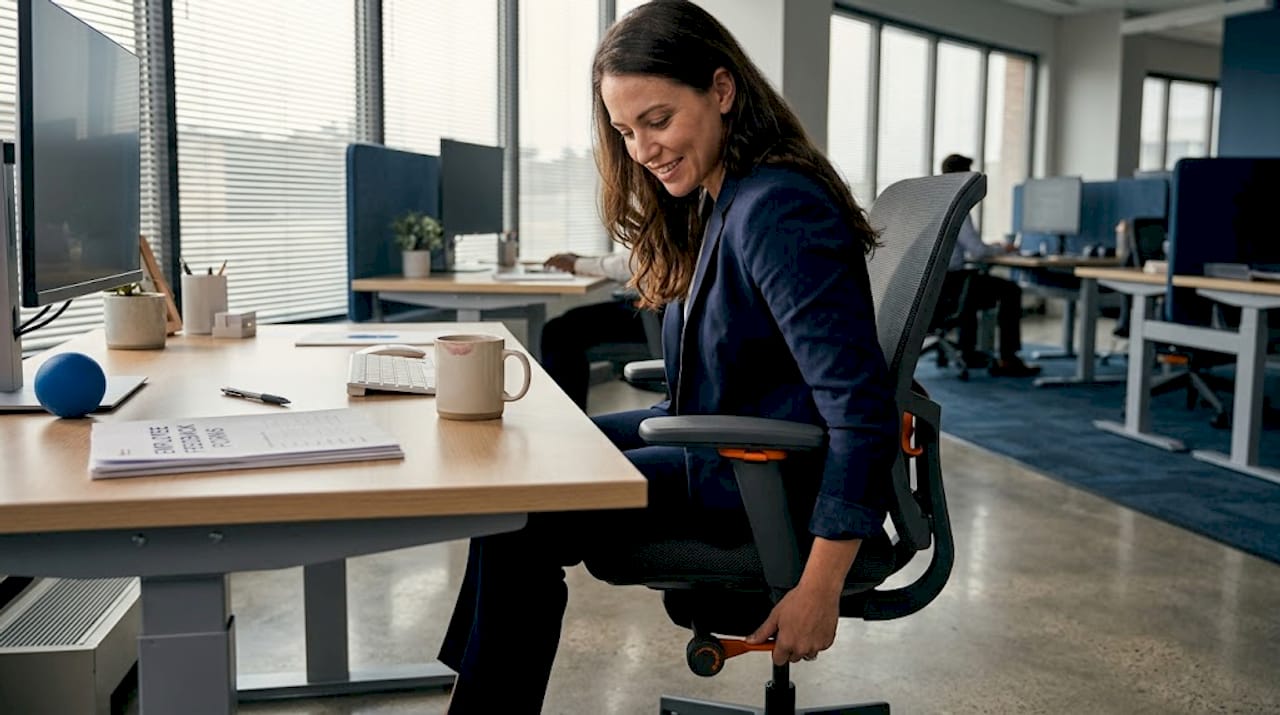
HSE ergonomics guidance requires that workstations are set up so that screens sit at eye level (top of the screen at or just below eye height), keyboards rest at elbow height, and seating is fully adjustable with footrests provided where needed. Prolonged static postures, sitting or standing in one position for hours at a time, must be actively avoided.
Essential ergonomic adjustments for every workstation:
Important: Prolonged static postures are a leading cause of musculoskeletal disorders in office workers. Providing adjustable furniture alone is not enough. You must also create a culture where people actually use the adjustments available to them.
Investing in quality ergonomic seating options that genuinely adjust to individual body sizes makes a measurable difference, particularly in hot-desk environments where multiple people use the same chair throughout the week. Pairing ergonomic seating with well-designed ergonomic desk setups creates a complete workstation that protects staff health and reduces absenteeism.
When choosing durable office furniture for a hot-desk environment, prioritise products with a wide adjustment range, easy-to-use controls, and robust build quality that will withstand daily use by multiple users.
Pro Tip: Before rolling out new workstation furniture across the office, trial it with a small group of staff for two to three weeks and gather structured feedback. Small issues, such as a chair that is difficult to adjust quickly or a desk that wobbles slightly at standing height, are far cheaper to fix at the trial stage than after a bulk purchase.
With a healthy ergonomic set-up in place, layering in smart design significantly multiplies overall workspace performance. Smart design is not about aesthetics for their own sake. It refers to deliberate choices about light, acoustics, nature, and zone layout that measurably affect how people think, collaborate, and feel during the working day.
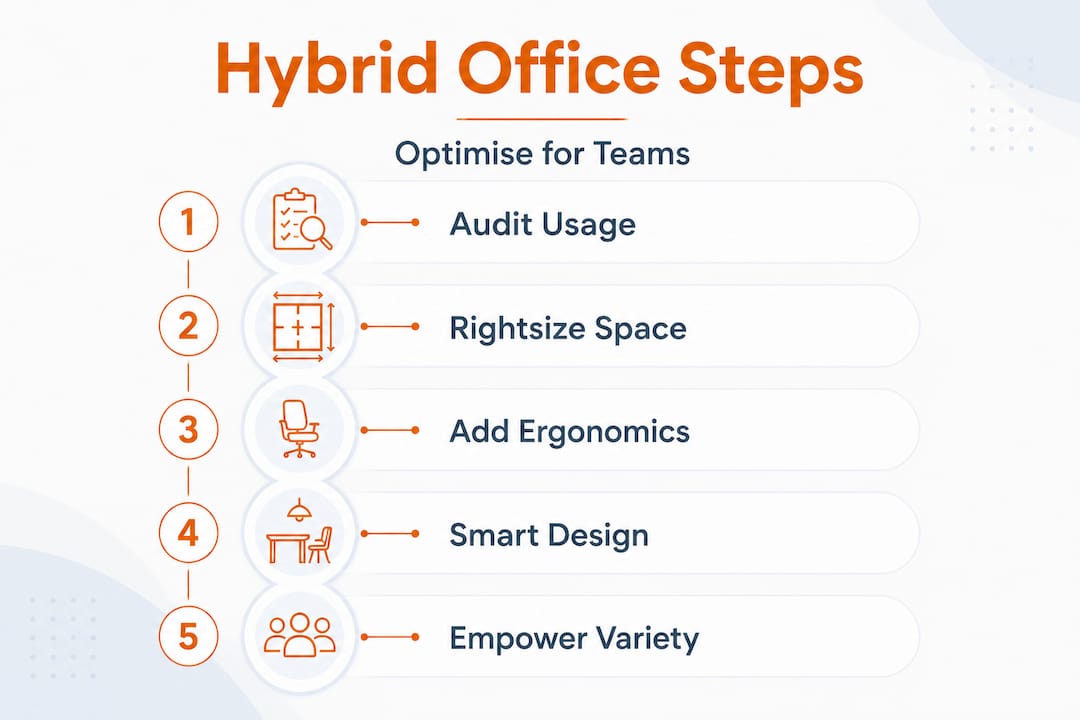
The evidence here is strong. Smart interior design can boost productivity by 15 to 20% and increase employee satisfaction by 30%. Those are not marginal gains. For a team of 50 people, a 15% productivity uplift represents a significant return on a relatively modest design investment.
High-impact design features to apply immediately:
These design principles directly inform office design for productivity, and the good news is that many of them are achievable without a full refurbishment. Repositioning furniture, adding acoustic panels, and introducing plants are retrofits that can be completed over a weekend.
The hybrid office should feel like a place people actively choose to come to, not simply a room they sit in because the policy requires it. Smart design is what tips the balance.
Here is something the planning guides do not always say directly: neither fixed desks nor pure open-plan hot-desking gets it right on its own. Both extremes miss the mark, and the offices that genuinely perform well for hybrid teams are the ones that offer genuine variety of spaces.
The BCO’s updated guidance reflects this clearly. Fixed desks are increasingly obsolete for most hybrid organisations, yet blanket hot-desking without any sense of territory or predictability frustrates staff who value consistency. The answer is a mixed portfolio of zone types, not a single policy applied everywhere.
What actually works on the ground is giving people real choice. A focus pod for deep work. A collaboration table for team sessions. A social area for informal catch-ups. A bookable meeting room for client calls. When people can self-select the right space for the right task, productivity follows almost automatically.
There is also a sustainability argument worth taking seriously. A smaller, lower-density office that is used at 65 to 70% capacity is significantly more sustainable than a larger office used at 30%. You consume less energy per productive hour, generate less waste, and reduce your carbon footprint per employee.
A well-used, adaptable office with 20% fewer desks will outperform a sprawling, half-empty one every single time, on cost, culture, and environmental impact.
Office policy should empower rather than dictate. Telling staff they must sit in a specific zone or book desks through a particular system can create friction that undermines the very culture you are trying to build. Give people guardrails, not rules. Show them the options, explain the logic, and let them find the best way to work within the framework you have created.
Thoughtful space-saving furniture examples show how modular, stackable, and multi-purpose pieces allow you to reconfigure zones quickly as needs evolve. Investing in furniture that adapts with your organisation is far more cost-effective than buying fixed pieces that date quickly.
Redesigning your layout and policies is only part of the picture. Optimised spaces need furniture that matches the new way your teams work, ergonomic, adaptable, and built to last through daily hot-desk rotation.
At Furniture for Business, we supply commercial-grade office chairs, fully adjustable desks for hybrid offices, and smart optimised office storage to businesses across the UK mainland, all with free delivery included. Whether you are refitting 10 desks or 500, our team can help you match the right products to the zones you have designed, within a budget that makes sense. Get in touch or browse our collections to find furniture that works as hard as your people do.
A workplace utilisation audit tracks actual attendance and desk use across your office, giving you accurate data on how your space is really being used rather than how you assume it is used. Without this data, any optimisation effort risks being based on guesswork, missing the 66% utilisation benchmark that the BCO recommends for hybrid offices.
The BCO’s current guidance recommends 15m² per person for hybrid offices, up from the traditional 12.5m², to account for the greater variety of zone types that hybrid working requires. Getting this benchmark right is what enables businesses to achieve realistic savings of 20 to 30% on rent and running costs.
Under HSE guidance, screens must sit at or just below eye level at arm’s length, keyboards at elbow height, and chairs must be fully adjustable with footrests provided where needed. Employers are also obliged to help staff avoid prolonged static postures, which means encouraging regular movement breaks throughout the working day.
Yes. Research shows that smart design incorporating natural light, biophilic elements, and good acoustics can boost productivity by 15 to 20% and employee satisfaction by 30%, making it one of the highest-return investments available to office managers working within a reasonable budget.
Phone: 0330 043 4114
VAT no. GB 991 8681 60
Company no. 07250570