For most offices, a two-stage column is the stronger default: it gives better rigidity and a standard sit-stand range at a lower price point, which covers most desk layouts. Choose three-stage only when you need extended reach (very tall users or a lower minimum height) without sacrificing floor clearance. Whichever you pick, require BS EN 527 compliance in writing.
TL;DR:
- Ergonomic guidance calls for desks to cover the 5th through 95th workforce percentiles; check shared desks and unusually tall or short staff individually.
- Dual screen arms amplify leverage at full extension, so request a lateral stiffness or wobble result and confirm the frame’s rated load and test basis.
- Require written compliance with BS EN 527 Part 1 dimensions and Part 2 safety, strength, and durability, plus a test certificate or conformity declaration.
- Compare supplier quotes using the same fields: height range, safe working load, stiffness result, motor speed, noise level, and warranty length, all confirmed in writing.
A “stage” is one telescoping leg segment inside the column. A two-stage column has one tube sliding inside another; a three-stage column adds a third nested tube, so the leg extends further for the same closed height, or closes lower for the same extended height.
More stages mean more travel in the same footprint, but each added joint introduces a point of flex. That is the central trade-off procurement teams are actually buying when they choose between the two: range against rigidity.
None of this is purely theoretical for a buyer. A three-stage frame extended to its maximum height has more unsupported tube length than a two-stage frame at the same height, and that unsupported length is what shows up as wobble when someone leans on the desk or types with force. It is a mechanical consequence of how telescoping sections work, not a flaw in any particular product, and it is exactly why standards such as BS EN 527-2 exist to test strength and durability under realistic loads rather than leaving stiffness to supplier claims.
The engineering difference between two-stage and three-stage columns translates directly into things a buyer has to sign off on: who can use the desk comfortably, what sits on top of it safely, and how long it lasts.
Pro Tip: Ask every shortlisted supplier for the same five figures, side by side: height range, safe working load, lateral stiffness or wobble result, speed in millimetres per second, and warranty length. Anything they cannot provide in writing is a gap worth questioning.
A supplier quote is only comparable to another supplier’s quote when both answer the same fields. Build these into your RFQ or purchase order template rather than accepting free-text descriptions.
| Spec field | Why it matters | What to request |
|---|---|---|
| Height range | Determines workforce coverage | Minimum and maximum height in millimetres |
| Safe working load | Confirms monitor arm and equipment compatibility | Rated load in kilograms with test basis |
| Standards compliance | Confirms tested safety and durability | Declaration against BS EN 527-1 and BS EN 527-2 |
| Warranty and aftercare | Protects against early failure and lost productivity | Warranty length, spare parts policy, install terms |
Where you are standardising a large order, the Government Buying Standards for office furniture are a useful reference for typical desktop dimensions, finish options and cable management requirements, and aligning your tender fields to them tends to shorten supplier response times.
Matching stage count to the actual job the desk does, rather than buying one spec across the whole floor, avoids paying for range nobody uses or losing stability somebody needed.
Shared workspace operators weighing up flexible desking against fixed benching face a related question when planning layouts; guidance on choosing flexible office space covers the trade-offs between fixed and flexible seating that often inform how much adjustability a shared floor actually needs.
Use wording like this directly in a tender or purchase order, adjusting figures to your own requirement.
On delivery, run a functional test through the full height range, a wobble test with a monitor arm mounted at 1.6 metres, and a tape-measure check of the minimum and maximum heights against the spec sheet. Our setup guidance covers screen height and cable routing once the frame itself has passed acceptance.
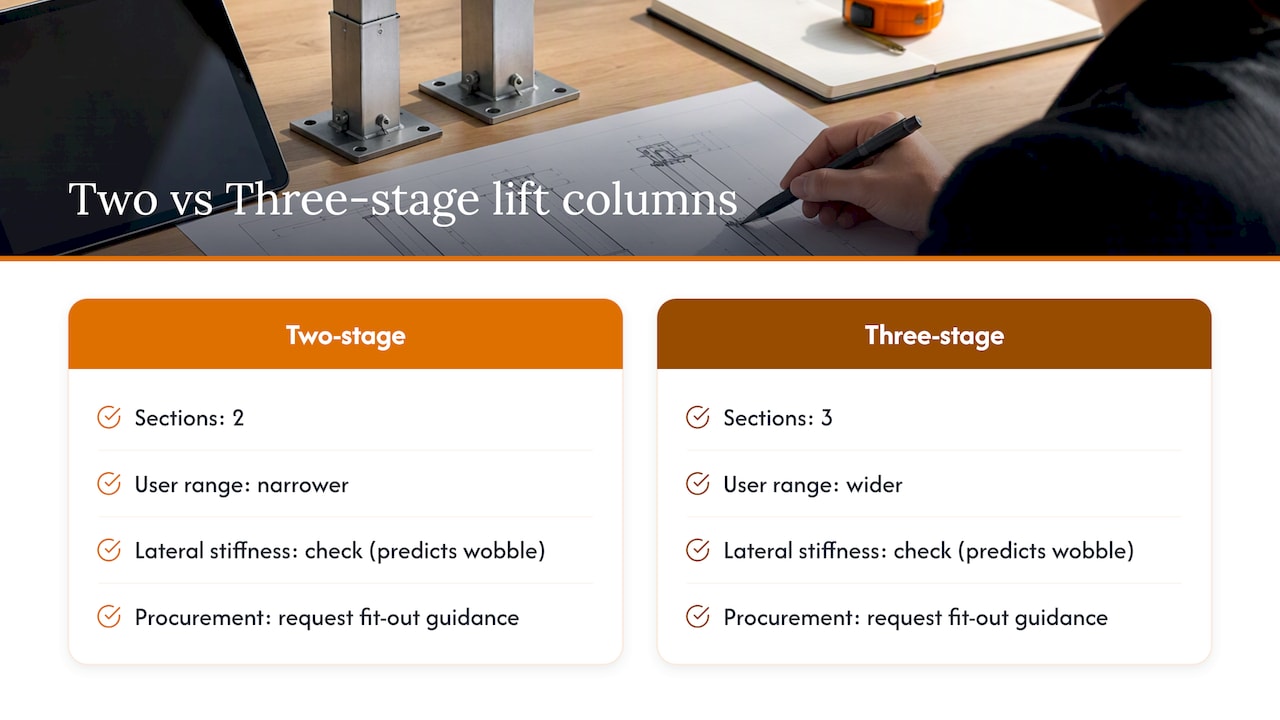
The most common mistake is not choosing the wrong stage count, it is buying on price alone and discovering the range is too narrow for half the team once desks are installed. The second is treating a lateral stiffness figure as optional paperwork rather than the one number that predicts whether a monitor arm will wobble in daily use.
We offer two-stage and three-stage frames tested against current standards, provide fit-out guidance for mixed-height teams, and offer options to discuss bulk orders with sample inspections before committing to a full-floor order.
— Furniture
We stock height-adjustable desk ranges built around standard and extended travel columns, with options for bulk pricing and delivery across the UK mainland. Returns stay straightforward if a spec does not land right once it is in the room.

A two-stage column has one telescoping segment and typically gives a stiffer, standard height range, while a three-stage column adds a segment for extended reach or a lower minimum height. The right choice depends on your required height range, desk footprint and expected monitor load.
A three-stage column has more unsupported tube length at full extension, which can introduce more lateral movement than a two-stage frame at the same height. Requesting a lateral stiffness or wobble test result from the supplier, as covered under BS EN 527-2, is the practical way to check this before ordering.
Ergonomic guidance recommends setting desks so the keyboard and mouse sit at or slightly below elbow height for each user, which means specifying a range that covers your workforce’s shortest and tallest staff rather than a single fixed figure, per NHS guidance. Checking the minimum and maximum height against your actual team, not an assumed average, is the safest approach.
A two-stage frame is generally the lower-cost default for standard sit-stand ranges and single-user desks with heavy monitor setups. A three-stage frame costs more but suits hot-desking or mixed-height teams where the extra reach avoids buying multiple desk specs across the floor.

Phone: 0330 043 4114
VAT no. GB 991 8681 60
Company no. 07250570