TL;DR:
- Adjustable monitor solutions help prevent musculoskeletal issues by allowing users to customize screen height, angle, and distance. They are essential for legal compliance under UK DSE regulations and improve overall ergonomic health and productivity. Proper implementation, training, and pairing with ergonomic furniture ensure maximum benefits for individual and team well-being.
Adjustable monitor solutions are ergonomic tools that allow workers to position screens at the correct height, angle, and distance for their individual body dimensions, directly reducing physical strain and improving focus during prolonged display screen equipment (DSE) use. The industry term for this category is ergonomic monitor positioning equipment, which includes monitor arms, adjustable stands, and risers. For office managers and business owners in the UK, understanding why adjustable monitor solutions matter goes beyond comfort. It touches on legal compliance under UK Health and Safety Executive (HSE) guidance, DSE regulations, and measurable productivity gains backed by research published in PubMed.
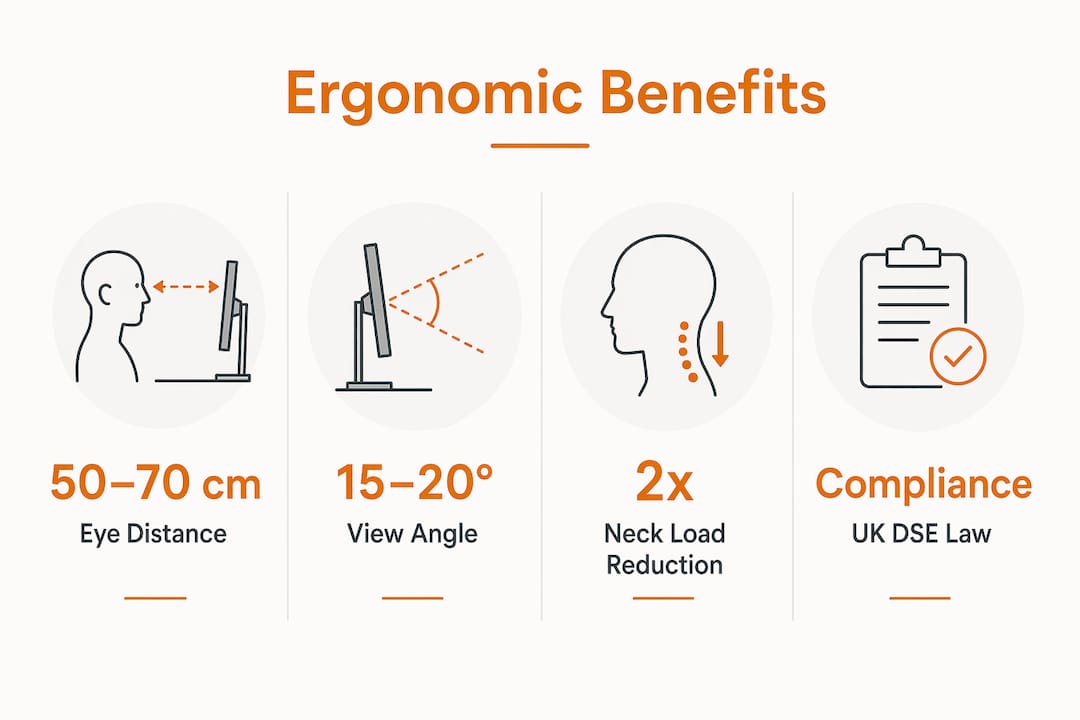
Fixed monitors cause predictable, preventable harm. UK ergonomics guidance specifies that monitors should sit 50–70 cm from the eyes, with the top edge slightly below eye level to encourage a natural 15–20° downward gaze. That positioning reduces neck flexion and eye strain during extended screen use. A fixed monitor ignores this entirely.
The core problem is individual variation. The same monitor height that suits a 6-foot employee forces a 5-foot 3-inch colleague into sustained neck flexion, creating cumulative musculoskeletal risk over months. Ergonomics best practice follows a workstation match principle: risk depends on the interaction between the person and every component of their setup. No single fixed configuration controls that risk.
Vision requirements add another layer. Screen centre positioning may be more appropriate than top-of-screen eye level for employees using bifocal or progressive lenses. A monitor arm accommodates this in seconds. A fixed stand does not.
Minor misalignments compound over time. A neck held just 10° forward of neutral doubles the effective load on the cervical spine. Over an eight-hour working day, that accumulates into real discomfort and, eventually, injury. Small posture adjustments enabled by adjustable monitors prevent this cumulative strain and reduce musculoskeletal disorder risk across your team.
Pro Tip: Encourage employees to re-check their monitor position whenever they change chairs, switch desks, or return from leave. A two-minute adjustment prevents weeks of discomfort.
Key ergonomic risks from fixed monitor setups include:
UK DSE regulations place a clear legal duty on employers. Under the Health and Safety (Display Screen Equipment) Regulations 1992, employers must provide necessary equipment identified through workstation assessments, including adjustable monitors or arms, regardless of whether staff work in the office or from home. Adjustable monitor solutions are controls, not optional upgrades.
This distinction matters practically. If a DSE assessment identifies that an employee’s screen is at the wrong height and the employer fails to act, that is a compliance failure. Providing an adjustable arm or stand is the documented corrective action. It closes the loop between assessment and resolution.
DSE compliance is not a one-time event. Ongoing assessment and reassessment are required whenever circumstances change, including new employees, role changes, or a move to hybrid working. Adjustable solutions support this cycle because users can tune their own setup without requiring new furniture or a facilities manager visit.
Standardising your office rollout with adjustable monitor arms creates a consistent baseline that employees personalise themselves. This approach reduces the administrative burden of reassessments and future-proofs your infrastructure as your team grows or changes.
The steps for embedding adjustable monitors into your compliance process are:
Pro Tip: Avoid treating DSE compliance as a paperwork exercise. The assessment is only effective if the corrective equipment is actually installed, adjusted correctly, and the employee is trained to use it.
The three main categories of ergonomic monitor positioning equipment each suit different workplace scenarios. Understanding the differences helps you procure the right solution for your team rather than defaulting to the cheapest option.
| Solution Type | Adjustability | Best Use Case | Ergonomic Impact | Key Limitation |
|---|---|---|---|---|
| Monitor arm | Full: height, tilt, swivel, reach | Hot-desking, multi-monitor, hybrid | Highest: full personalisation | Requires desk with suitable edge or grommet |
| Adjustable stand | Height and tilt | Permanent single-user desks | Good: covers most needs | Less flexible than arm |
| Monitor riser | Height only (fixed increments) | Budget setups, low-risk users | Basic: raises screen off desk | No tilt or reach adjustment |
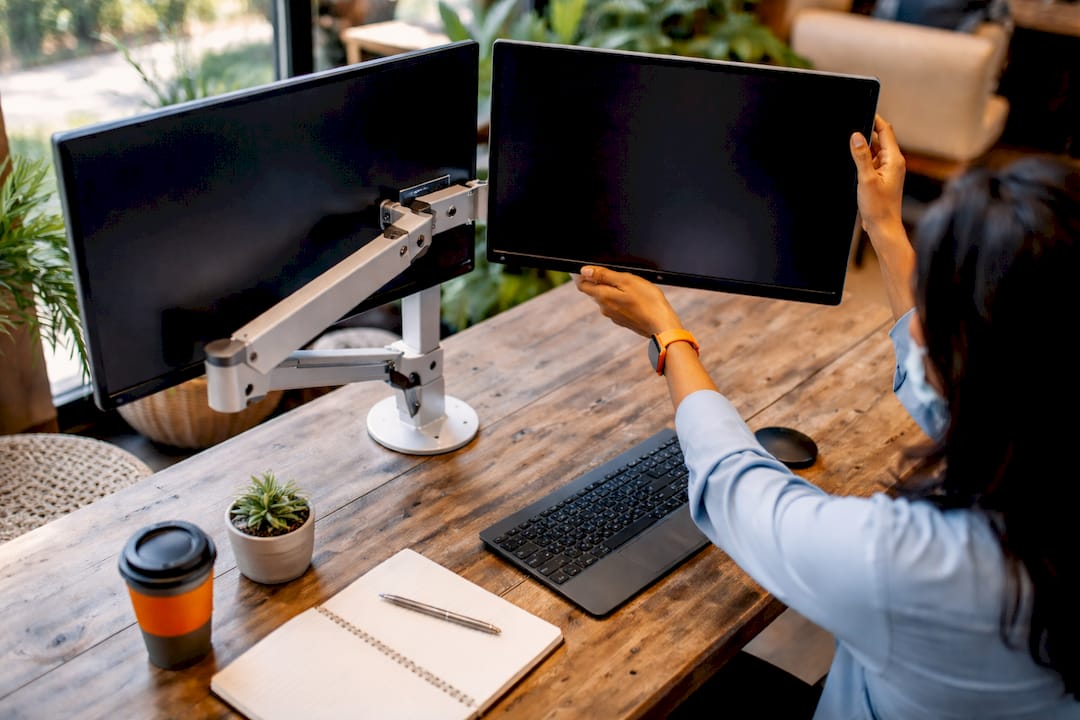
Monitor arms offer the most complete solution. They mount to the desk edge or through a grommet hole, freeing up desk space and allowing the screen to be repositioned in seconds. For hot-desking environments, where posture variability is highest, arms are the most practical choice because each user can adjust the screen without tools.
Adjustable stands suit permanent single-user workstations where the employee has a consistent setup. They are simpler to install and typically less expensive than arms, making them a practical choice for lower-risk roles or budget-constrained rollouts.
Risers are the most limited option. They raise the screen to a fixed height, which helps if the monitor is currently too low, but they offer no tilt or reach control. Use them only where a full assessment confirms height is the sole issue.
Laptop users represent a specific and growing challenge. Fixed low screens force harmful neck flexion or wrist strain when the keyboard and screen cannot be independently positioned. Pairing an adjustable laptop stand with a separate keyboard and mouse resolves this. The benefits for laptop-heavy roles are significant, particularly in hybrid teams where employees alternate between office and home setups.
Procurement without a deployment plan produces poor results. Boxes of monitor arms sitting in a storeroom do not reduce neck strain. The following approach ensures your investment translates into genuine wellbeing and productivity improvements.
A 2026 PubMed study found that working at an adjustable-height workstation significantly lowers discomfort, mental workload, and muscle activation compared to fixed-height setups during a one-hour precision task. That finding applies directly to office work: the physical and cognitive benefits of adjustability are measurable, not anecdotal.
Pro Tip: When rolling out adjustable solutions to a hybrid team, provide a simple one-page setup guide employees can use at home. It takes ten minutes to produce and removes the most common reason home setups remain uncorrected.
Adjustable monitor solutions are a legal control measure under UK DSE regulations and a proven method for reducing musculoskeletal discomfort, improving posture, and sustaining productivity across diverse teams.
| Point | Details |
|---|---|
| Ergonomic positioning targets | Screens should sit 50–70 cm from eyes with a 15–20° downward gaze to reduce neck and eye strain. |
| Legal compliance duty | UK DSE regulations require employers to provide adjustable equipment identified in workstation assessments. |
| Solution type selection | Monitor arms suit hot-desking; adjustable stands suit permanent desks; risers address height only. |
| Deployment requires training | Installing equipment without user training produces poor adjustment and limited ergonomic benefit. |
| Holistic setup matters | Adjustable monitors deliver the most benefit when paired with ergonomic chairs and height-adjustable desks. |
Most offices I encounter have done the DSE paperwork. Very few have followed through on the corrective actions. The assessment identifies that a monitor is too low, the form gets filed, and six months later the same employee is reporting neck pain. The equipment was never ordered.
The other common failure is treating adjustability as a one-size-fits-all purchase. A business buys fifty identical monitor risers, distributes them, and considers the job done. But a riser that raises a screen by 10 cm helps the short employee and overcorrects for the tall one. The result is a different set of posture problems, not fewer.
What actually works is treating adjustable monitor provision the same way you treat any other control measure: specify it precisely, install it correctly, train the user, and review it. Monitor arms are the most flexible tool for most modern offices, particularly those running hybrid arrangements where desk users change daily. The upfront cost is higher than a riser, but the reduction in DSE reassessment cycles and discomfort reports pays for it quickly.
The offices that get this right share one characteristic. They treat ergonomic equipment as infrastructure, not as a response to complaints. They specify adjustable desk setups and monitor positioning as standard from day one, rather than retrofitting after problems emerge. That shift in thinking is the single most practical change any office manager can make.
— Furniture
If your DSE assessments are identifying monitor positioning issues and you need the right equipment to close those gaps, Furnitureforbusiness supplies a full range of ergonomic office accessories, including monitor stands, arms, and risers, with free delivery to the UK mainland.
Browse the office accessories range for monitor positioning solutions, or explore the full office desks catalogue to find desks compatible with monitor arm mounting. For teams building complete ergonomic workstations, Furnitureforbusiness also offers ergonomic seating and height-adjustable desks to complement every screen setup. Bulk order pricing is available for teams fitting out multiple workstations.
Adjustable monitor solutions are ergonomic positioning tools, including monitor arms, adjustable stands, and risers, that allow users to set their screen at the correct height, distance, and angle for their individual body dimensions. The industry term for this category is ergonomic monitor positioning equipment.
Under the Health and Safety (Display Screen Equipment) Regulations 1992, employers must provide equipment identified as necessary in DSE assessments, which can include adjustable monitors or arms. This applies to office and home workers alike.
UK ergonomics guidance specifies a screen distance of 50–70 cm from the eyes, with the top edge of the screen slightly below eye level to encourage a natural 15–20° downward gaze. This positioning reduces neck flexion and eye strain during extended use.
Monitor arms offer the greatest flexibility, covering height, tilt, swivel, and reach, making them the best choice for hot-desking and hybrid environments. Adjustable stands suit permanent single-user desks where full repositioning is not required.
A 2026 PubMed study found that adjustable-height workstations significantly reduce discomfort, mental workload, and muscle activation compared to fixed setups. Lower physical strain directly supports sustained concentration and output quality across the working day.

Phone: 0330 043 4114
VAT no. GB 991 8681 60
Company no. 07250570