TL;DR:
- Power management in offices includes policies and hardware that reduce plug-load energy consumption and operating costs.
- Effective strategies involve computer power settings, advanced power strips, integrated furniture, building controls, and occupant engagement.
Power management in offices is the coordinated set of policies, devices and fit-out decisions that reduce plug-load energy, cut operating costs and keep workstations running reliably. Get it right during procurement and you avoid expensive retrofits later.
The core elements:
Furnitureforbusiness supplies the furniture layer of this picture:
office desks with integrated cable ports and power routing, meeting room furniture with built-in power, and accessories that support tidy, compliant installs across UK offices.
Plug loads are no longer a rounding error on the energy bill. Studies show they account for approximately 12–50% of total commercial building energy consumption, and that share is growing as offices add more screens, docking stations and peripheral devices per desk.
The cost case is straightforward. Night and weekend workstation power at monitored sites was typically a significant fraction of daytime use, reaching high levels at one site. That is energy being consumed with nobody in the building. For a 100-desk UK office running on a commercial tariff, the waste compounds quickly.
Carbon and compliance add further pressure. UK businesses face growing scrutiny on Scope 2 emissions, and energy audits are increasingly expected before major fit-outs. ACEEE recommends a whole-building approach: audit first, then sequence interventions through BEMS/BEMCS to maximise cost-effectiveness rather than tackling plug loads in isolation.
There is also a productivity angle. Poorly configured power-down settings can block remote desktop access and interrupt overnight software updates. That friction is real, but it is avoidable with early IT engagement rather than a reason to skip CPM altogether.
Key business drivers for UK procurement teams:
An effective programme mixes device controls, outlet-level hardware, furniture choices and building controls. No single lever achieves the full saving.
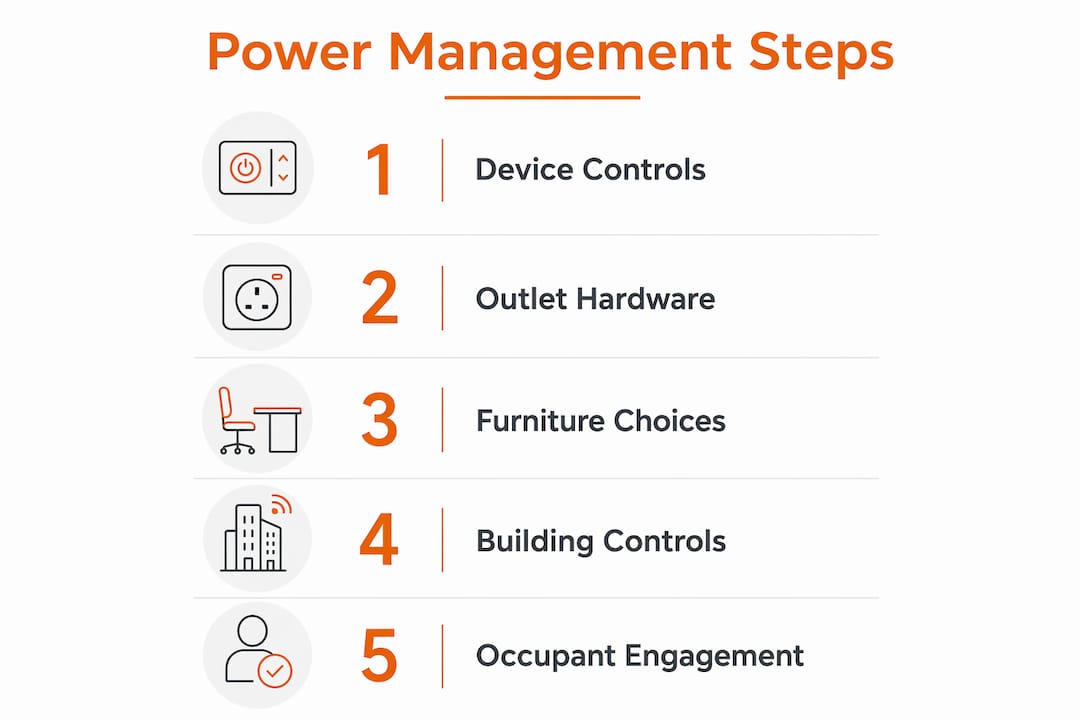
Computer power management is the highest-return starting point. ENERGY STAR-recommended sleep and hibernate settings are free to implement and cut workstation energy by 29% in field conditions. The catch is IT buy-in: remote access requirements and update windows are the most common reasons IT teams resist wide CPM rollout, so structured pilot zones and consented exceptions for known remote-access users are standard practice.
Advanced power strips address the peripheral load that CPM cannot reach: monitors, task lights, phone chargers and docking stations that draw power even when the computer sleeps. APS types vary by control mechanism:
Furniture integration is where procurement decisions directly shape energy outcomes. Desks with integrated cable management and cable ports reduce installation complexity and improve user compliance; specifying power modules at procurement is substantially cheaper than retrofitting them later. Under-desk power modules and accessible switches make it easier for occupants to cut power at the end of the day without hunting behind pedestals.
Behavioural campaigns amplify hardware savings. One field study found that pairing APS with education, feedback and rewards improved savings by up to 147% over APS alone at the best-performing site. The mechanism is habit: a UK study of 81 office workers found that habit, not attitude or intention, was the only behavioural construct that correlated significantly with workstation energy consumption.
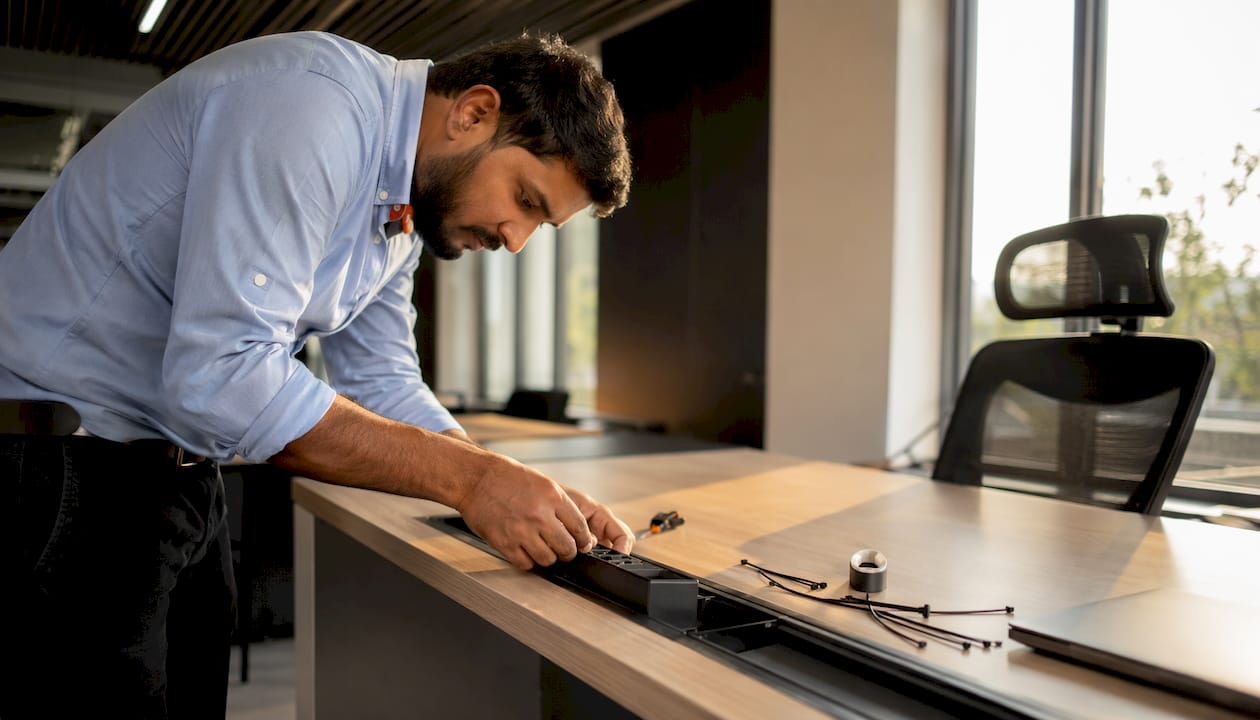
Pro Tip: Specify visible LED indicators and manual override switches on APS units in your tender documents. Occupants who can see and control their own power state adopt the behaviour faster and generate fewer facilities complaints.
Include power-management requirements at design and procurement stages. Retrofitting APS compatibility or cable routing after installation costs more and disrupts occupants.
Design brief and tender pack checklist:
Operational steps after award:
Pro Tip: For hybrid office layouts, occupancy-sensor APS units are particularly effective because desk utilisation varies day to day. They cut power on unoccupied desks without requiring any occupant action.
Small per-desk savings compound across a floor. Use this formula to build a business case before committing to a specification.
Steps:
Scenario table: 100-desk office
| Scenario | Saving assumption | Annual kWh saved (est.) | Notes |
|---|---|---|---|
| Conservative | 5% APS only | Low | Laptop-dominant floor, minimal peripherals |
| Typical | 29% CPM + 10% APS | Moderate | Mixed desktop/laptop, standard peripherals |
| Ambitious | 29% CPM + 28% APS + behaviour campaign | High | Desktop-heavy floor, structured engagement |
Leave the electricity unit rate as a variable and update it from your current supplier contract. UK commercial rates vary; use your actual blended rate for accuracy.
The desktop-versus-laptop mix matters most. For desktop-dominant workstations, CPM plus APS is often the only combination that achieves substantial savings. For laptop-dominant floors, APS with user guidance is the lower-friction option and still delivers meaningful reductions.
The checklist below ensures bidders address power management in product specification, installation and handover, not just in marketing copy.
Specification checklist:
Questions to ask vendors and installers:
Evaluation criteria: lifecycle cost (hardware plus installation plus maintenance), ease of use for occupants, warranty terms, and demonstrated experience on comparable UK projects. A supplier who cannot answer questions 2 and 4 above is unlikely to deliver a compliant, low-friction installation.
Effective office power management combines CPM, APS, integrated furniture and occupant engagement to cut plug-load energy, reduce costs and support compliance with UK carbon reporting expectations.
| Point | Details |
|---|---|
| CPM delivers the highest return | ENERGY STAR-aligned settings cut workstation energy by 29% at no hardware cost. |
| APS tackles peripheral loads | Advanced power strips (APS) in field tests saved between 5% and 28% of workstation energy depending on control type. |
| Specify at procurement, not after | Integrated cable ports and power modules cost far less to specify upfront than to retrofit. |
| Engage IT early | CPM rollout fails without IT sign-off on remote access and update schedules. |
| Furnitureforbusiness supports specification | Desks with integrated cable ports and power modules are available for bulk UK orders with free mainland delivery. |
The conversation about office energy tends to split into two camps: facilities teams focused on building controls and IT teams focused on device policy. Furniture procurement sits awkwardly between them, treated as a passive backdrop rather than an active variable. That framing is wrong, and it costs money.
The furniture layer is where the CPM and APS decisions either work or fail in practice. A desk without accessible cable routing means APS units get tucked behind pedestals where nobody switches them off. A meeting room without integrated power means extension leads and multi-adapters that bypass every timer and sensor in the room. The hardware savings cited in field studies assume the physical environment supports the intended behaviour. When the furniture fights the system, the savings evaporate.
The procurement implication is simple: treat power management as a furniture specification requirement, not an afterthought for the M&E contractor. Specify cable ports, module mounting points and visible user controls in the same document as the desk finish and frame warranty. The right furniture choices do not just support productivity; they determine whether the energy strategy you paid to design actually delivers in year one and year three.
Specifying power management into a fit-out is straightforward when the furniture is designed for it from the start. Furnitureforbusiness supplies height-adjustable desks with integrated cable ports, under-desk power module mounting points and meeting room furniture with built-in power options, all available for bulk ordering with free delivery to the UK mainland.
Every order includes bundle pricing for larger teams, straightforward returns and installation coordination support so your fit-out team and IT department can commission power settings alongside the furniture handover. Procurement teams can browse the full desk range, request bulk pricing or download product specifications directly from the site.
Browse the office desks range or get in touch with the Furnitureforbusiness team to discuss your specification requirements.
The sources below support the figures and recommendations in this article. Attach them to business cases or share with IT and facilities stakeholders who need evidence for CPM and APS decisions.
| Source | Why it matters |
|---|---|
| Powering Down, Powering Off: Office Plug Load | Field-test evidence for 29% CPM savings and 5–28% APS savings; covers IT barriers and night/weekend baseline losses |
| Commercial office plug load trends (eScholarship) | Academic evidence that plug loads account for 12–50% of commercial building energy |
| ACEEE energy efficiency strategies | Whole-building audit and BEMS/BEMCS approach; office equipment as roughly 10% of commercial electric use |
| ACEEE plug load proceedings | Behavioural campaign evidence; occupant preference for manual/foot-pedal controls and LED indicators |
| Energy Saving Trust: workplace energy efficiency | UK-focused guidance on furniture integration, procurement timing and installation cost savings |
| Behavioural predictors of small power consumption (ScienceDirect) | UK study showing habit, not attitude, drives workstation energy behaviour; informs engagement campaign design |

Phone: 0330 043 4114
VAT no. GB 991 8681 60
Company no. 07250570