TL;DR:
- Effective boardroom layout planning integrates furniture, AV technology, and meeting objectives to ensure productive, hybrid-ready spaces. Proper configuration enhances visibility, audio, and participation, with emphasis on matching room design to meeting type and capacity. Collaborating early with AV, furniture, and facilities specialists is essential for a successful, frictionless meeting environment.
Boardroom layout planning is the deliberate process of arranging tables, seating, and audiovisual technology to support clear communication, equal sightlines, and productive engagement in meetings. Known formally as meeting space organisation or conference room configuration, it goes well beyond choosing a table shape. Effective planning includes room analysis, needs assessment, AV placement, and accessibility considerations, all of which directly affect how well participants can see, hear, and contribute. For corporate event planners and business executives, getting this right is the difference between a meeting that drives decisions and one that wastes everyone’s time.
Boardroom layout planning is the structured discipline of coordinating physical and technological elements within a meeting room to serve specific session objectives. The process covers table selection, chair placement, aisle widths, display positioning, microphone coverage, and camera framing. Each decision feeds into the next, which is why treating any one element in isolation produces poor results.
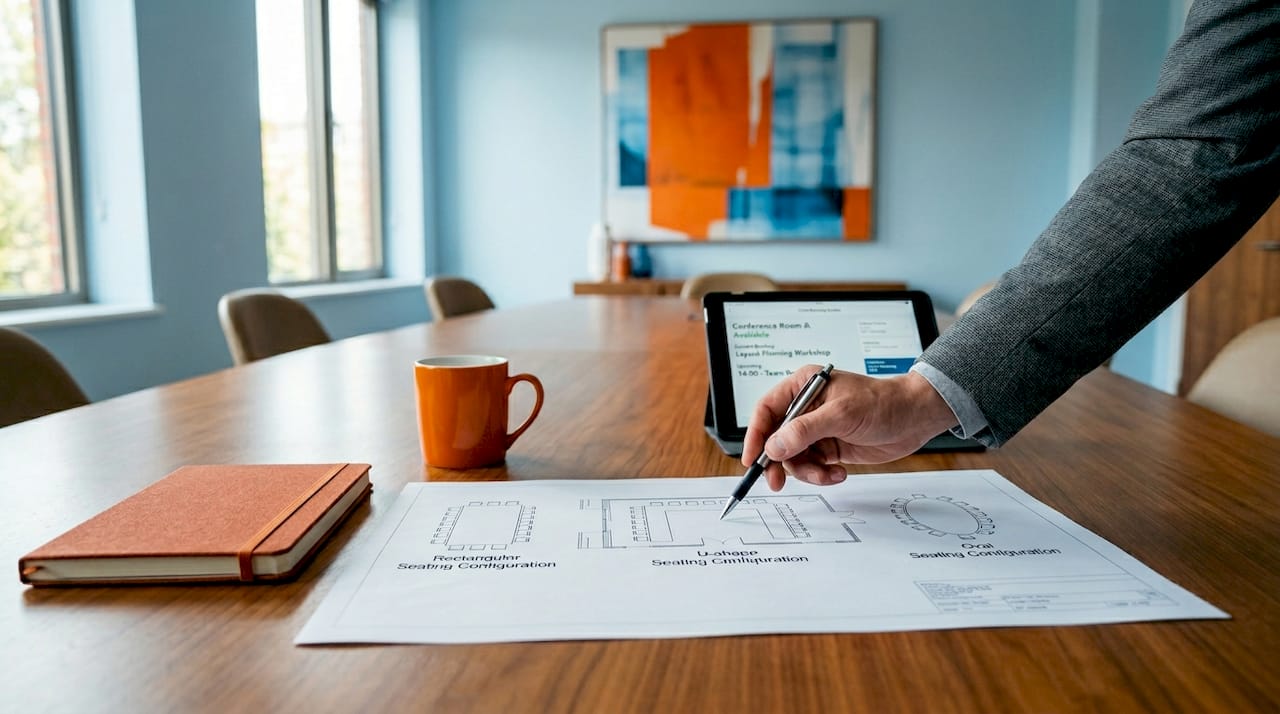
The stakes are high. Layout choices affect visibility, audio quality, participant engagement, and the success of hybrid meetings where remote attendees must feel equally present. A poorly arranged room creates blind spots, microphone dead zones, and a psychological hierarchy that undermines collaborative decision-making before a single agenda item is discussed.
Three named entities define best practice in this field: Skedda, a room booking and space management platform that has documented layout types and their meeting outcomes; Yealink, a leading video conferencing hardware brand whose boardroom systems depend on correct spatial planning; and Xten AV, an AV design consultancy whose boardroom guides set the technical standard for hybrid room configuration. Understanding what each of these organisations recommends reveals how interconnected furniture, technology, and room geometry truly are.
The choice of table shape is the single most consequential layout decision you will make. Each configuration sends a signal about authority, encourages or discourages interaction, and places hard limits on how many people can participate effectively.
| Configuration | Best use case | Typical capacity |
|---|---|---|
| Rectangular or oval table | Decision-making, board meetings | 6 to 20 attendees |
| U-shape | Presentations with discussion | 12 to 30 attendees |
| Conference square | Collaborative workshops | 8 to 16 attendees |
| Hollow square | Structured debate, equal contribution | 12 to 24 attendees |
| Classroom rows | Training, one-way presentations | 20 or more attendees |
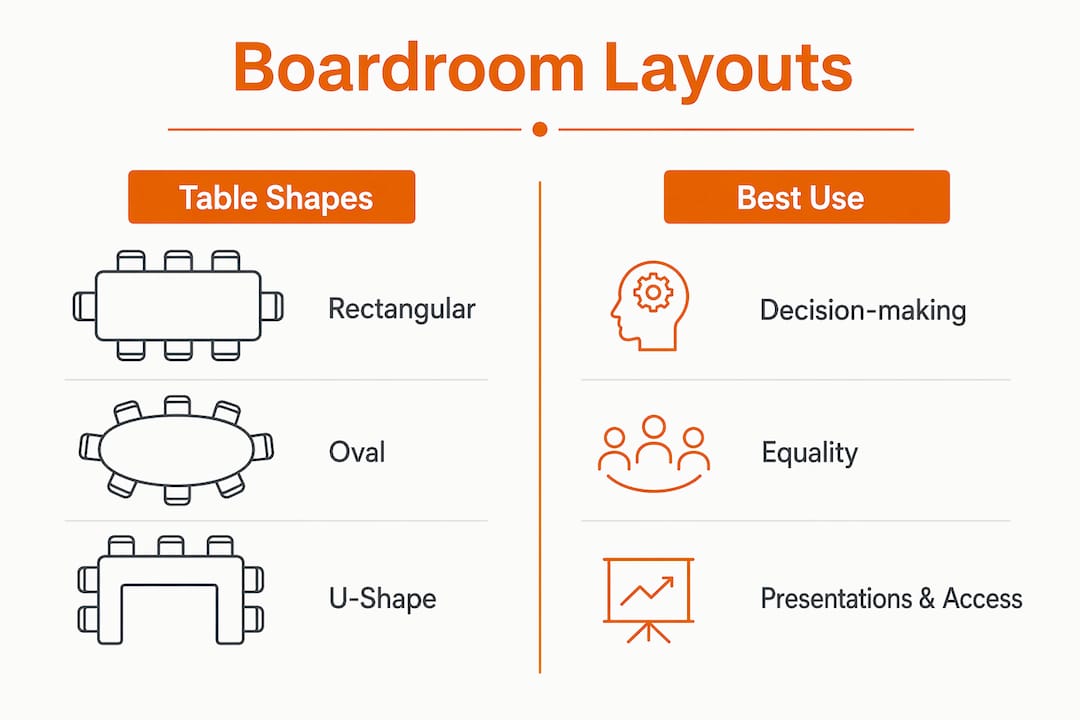
The classic rectangular or oval table creates visual and psychological equality among attendees, making it the default choice for board-level decision meetings with 6 to 20 participants. Everyone faces everyone else, sightlines are consistent, and no single seat commands an obvious positional advantage beyond the chair at the head.
The U-shape configuration opens the centre of the room, giving a presenter or facilitator clear access to all attendees while maintaining eye contact across the table arms. It works well for hybrid meetings because a single display at the open end of the U is visible to every seat without obstruction. The trade-off is that it consumes significantly more floor space per person than a rectangular layout.
The hollow square and conference square formats suit workshops and structured debates where every voice carries equal weight. These layouts are less common in executive boardrooms but are worth considering when the meeting objective is consensus-building rather than reporting.
Key points to remember when selecting a configuration:
AV technology and room layout are not separate workstreams. They are a single integrated system, and treating them as isolated elements is the most common and costly planning mistake in modern boardroom design. The position of every chair affects microphone coverage. The length of the table determines display size. The angle of the camera is fixed by where the screen sits.
The 0.1 rule states that the diagonal screen size in inches should equal one-tenth of the farthest viewing distance in inches. For a boardroom where the most distant seat is 5 metres from the display, that translates to a minimum screen size of approximately 75 inches. Practical boardroom displays typically range from 75 to 98 inches, and getting this calculation wrong means remote participants appear too small to read facial expressions, which undermines the entire purpose of video conferencing.
Poor audio quality is the leading cause of ineffective meetings. Integrated table microphones or ceiling microphone arrays matched to room geometry prevent the dead zones that make remote attendees feel excluded. DSP systems with echo cancellation and noise suppression are now standard in well-specified boardrooms. The key planning constraint is that table length and seating density must be verified against the microphone’s pickup radius before installation, not after.
Camera placement follows sightline logic. The camera should sit at or just above display height, centred on the table, so remote participants see the room from a natural eye-level perspective. Wide-angle cameras work for rooms up to 6 metres in depth. Rooms beyond that benefit from a PTZ (pan-tilt-zoom) camera that can track active speakers.
Common AV pitfalls linked to poor layout choices include:
Pro Tip: Engage your AV integrator at the same time as your furniture supplier. Late-stage changes driven by table shape and length affecting both audio pickup and camera framing simultaneously are a documented source of costly rework.
The most reliable planning framework starts with meeting objectives rather than room aesthetics. Letting session goals lead layout selection consistently produces better engagement and meeting outcomes than defaulting to whatever configuration the room currently holds.
Follow this sequence when planning a boardroom layout:
Pro Tip: Pressure-test your layout against the worst-case scenario: maximum occupancy, a hybrid call with six remote participants, and a presenter using a shared screen. If the layout holds under those conditions, it will perform well in every other meeting type.
Furniture arrangement translates layout planning into physical reality. The decisions made at this stage determine whether the room feels authoritative and functional or cramped and awkward.
For meeting room furniture selection and placement, apply these principles:
A practical note on hybrid-ready furniture: tables with recessed power modules and data ports at regular intervals allow participants to connect laptops without trailing cables, which matters both aesthetically and for camera framing on video calls.
The most damaging planning errors are not technical. They are procedural. They happen when layout decisions are made by habit, by committee, or by whoever ordered the furniture last time.
The four mistakes that appear most frequently in boardroom refurbishments are:
“The best boardrooms are not the most expensive ones. They are the ones where every participant, whether in the room or on a screen, can see, hear, and contribute without friction.”
What I have observed over years of working with UK businesses on office refurbishments is that the conversation about boardroom layout has fundamentally shifted. It used to be about status. The size of the table, the quality of the leather chairs, the view from the window. Those things still matter to some clients, but the dominant concern now is hybrid equity: whether the room works as well for the person dialling in from Edinburgh as it does for the director sitting at the head of the table in London.
The most forward-thinking organisations I work with are designing for hybrid meeting spaces from the outset, not retrofitting hybrid capability into rooms built for a pre-2020 world. That distinction matters enormously. A room designed around a central oval table with ceiling microphone arrays and dual displays at each end of the room performs completely differently from a room where someone has bolted a webcam to a television and called it a hybrid boardroom.
My honest recommendation: bring your AV integrator, your furniture supplier, and your facilities manager into the same conversation at the start of the project. The integration of AV technology with smart room management transforms a traditional boardroom into a space that genuinely supports executive decision-making. That outcome is only achievable when all three disciplines inform each other from day one.
— Furniture
Planning the right layout is only half the work. The furniture you place in that layout determines whether the room performs at the level your meetings demand.
Furnitureforbusiness supplies a curated range of executive office chairs and boardroom-grade desks designed for UK commercial environments, with free delivery to the UK mainland. Whether you are refurbishing a single boardroom or fitting out an entire floor of meeting spaces, the range covers ergonomic seating, conference tables with integrated cable management, and bulk order pricing for procurement teams. Browse the full selection and request a quote tailored to your room dimensions and headcount.
Boardroom layout planning requires the simultaneous coordination of furniture, AV technology, and meeting objectives to produce a space where every participant can contribute effectively.
| Point | Details |
|---|---|
| Start with meeting objectives | Choose your configuration based on session type, not habit or existing furniture. |
| Integrate AV from the outset | Table shape and length must be verified against microphone and camera requirements before ordering. |
| Apply the 0.1 display rule | Screen diagonal in inches should equal one-tenth of the farthest viewing distance in inches. |
| Plan for hybrid equity | Every seat must fall within camera view and microphone pickup range for remote participants. |
| Respect circulation minimums | Allow 900mm behind occupied chairs and 1.5 to 2.0 square metres per person in executive rooms. |
The classic boardroom configuration suits 6 to 20 attendees. Beyond 20 to 25 people, meeting formality and focused discussion break down, making alternative configurations such as a U-shape or tiered classroom layout more appropriate.
Match the table shape to your primary meeting type. Rectangular and oval tables suit decision-making sessions with equal participation. U-shape layouts work best for presentations combined with discussion. Hollow square formats serve structured workshops where every voice carries equal weight.
The 0.1 rule states that the display diagonal in inches should equal one-tenth of the farthest viewing distance in inches. A room where the most distant seat is 5 metres away requires a minimum screen size of approximately 75 inches for comfortable readability.
Poor audio is the leading cause of ineffective meetings. When remote participants cannot hear clearly, they disengage and miss critical information. Ceiling microphone arrays or integrated table microphones matched to room geometry, combined with DSP echo cancellation, are the standard solution for boardrooms hosting hybrid calls.
Executive boardrooms should provide 1.5 to 2.0 square metres of usable floor area per person, with a minimum of 750mm of table edge per seat and 900mm of clear aisle space behind each occupied chair to meet both comfort standards and UK fire egress requirements.

Phone: 0330 043 4114
VAT no. GB 991 8681 60
Company no. 07250570