
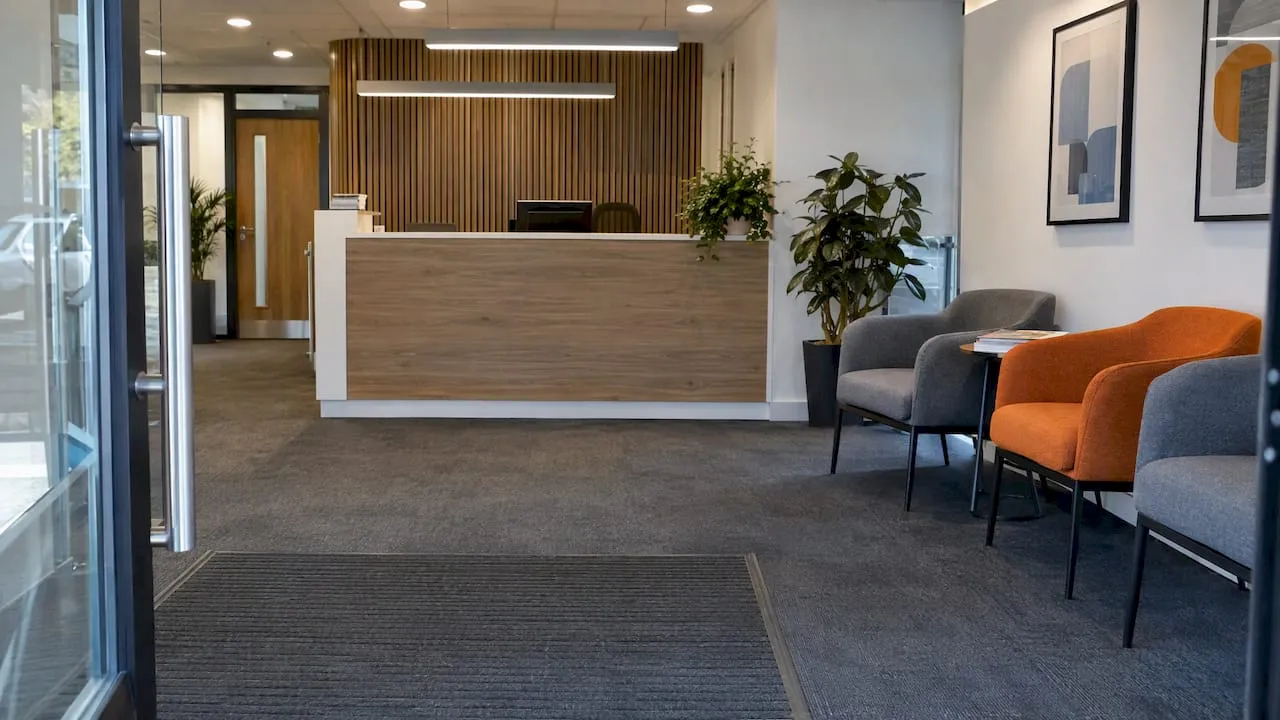
A good reception seating layout does four things. Visitors see the desk the moment they walk in. They can sit without crowding a stranger. Wheelchair users sit alongside everyone else, not in a corner. Nobody has to cross the front-of-house team’s working space to reach a chair. This guide shows how to get there, with measurements, a worked plan and the chair details that are easy to miss.
It is written for office managers, facilities teams and business owners planning a new fit-out or a refresh of an existing entrance. It also covers waiting areas in hospitality and professional-services settings, where the same principles apply.
TL;DR
- Keep the desk in clear sight of the seating, and leave about 1200mm between the two so people can move without feeling crowded.
- Plan accessibility into the main layout: low and high desk sections of 720mm–860mm and 950mm–1100mm, with a knee recess of at least 500mm wide and 700mm high.
- Space seats so every one feels free to use: armrests, small tables and gaps between chairs matter more than raw seat count.
- Choose waiting chairs with firm seats, arms and a heel space, so people can stand up safely.
- Put wheelchair spaces inside the seating run, not at the end of it.
Table of Contents
- Start with the visitor’s first ten seconds
- Keep the desk in sight, but not on top of the seating
- Choose a layout pattern that fits the room
- Worked example: a 6 metre by 5 metre reception
- Build accessibility into the layout, not onto it
- Think about buffer zones, not just seat counts
- Pick waiting chairs people can actually get out of
- Look after the person behind the desk
- Reduce noise and clutter for neurodivergent visitors
- Our perspective
- Furnish the plan
- Pre-purchase checklist
- FAQ
- Sources
Start with the visitor’s first ten seconds
Before you place a single chair, walk the route as a visitor does. From the door, can you see the reception desk? Guidance for inclusive design says reception desks should be located so that all building users can identify them as soon as they enter. Universal design recommendations make the same point, asking for a highly visible reception area on a direct, unobstructed route from the entrance, with signage if the location is not obvious.
That gives you the first rule of the layout: the desk comes first, seating second. Chairs should never sit between the door and the desk, and a sofa should never turn its back on the person who is meant to greet visitors.
A quick test you can run in any entrance: stand in the doorway and point at where you would go. If you hesitate, visitors will too.
Keep the desk in sight, but not on top of the seating
Two requirements pull against each other here, and a good layout satisfies both.
Sightline. Guidance written for medical waiting rooms (the principle carries over to any office) says the desk should be visible from the seating. This visual tether stops people feeling ignored or forgotten, which is a main source of dissatisfaction when the wait is long. A visitor who can see the receptionist on the phone understands why they have not yet been greeted.
Distance. The same guidance suggests placing the desk at least 1200mm from the seating area, so people can pass naturally without anyone’s personal space being invaded. The Community Health Partnerships inclusive design tool also gives 1200mm between desk and seating as a working figure.
In practice, 1200mm is a minimum for the gap, not a target. In a deeper entrance, more space is better, particularly if confidential conversations take place at the desk. Where space is tight, angle the seating slightly away from the desk, so that the visitor still sees the receptionist but faces a wall, a window or a display.
Choose a layout pattern that fits the room
Most UK office receptions fall into one of four shapes. The table sets out what each does well and where it struggles.
| Layout | Best for | Watch out for |
|---|---|---|
| Single row facing the desk | Narrow entrance corridors, short waits | Feels like a queue; poor for groups |
| L-shape in a corner | Square rooms, small teams, one or two visitors at a time | Corner seats can feel trapped; keep an aisle clear |
| Clusters of two or three with side tables | Larger lobbies, shared buildings, longer waits | Needs floor area; clusters must not block the route to the desk |
| Mixed: soft seating plus a few upright chairs | Professional services, hospitality-style offices | Soft low seats are hard to rise from; always include firmer options |
The last row matters. An open layout with several seating options that can be seen at a glance lets visitors choose a seat to suit their own preferences. Someone with a bad hip will pick the firm chair with arms. Someone waiting for a long meeting may prefer a quiet corner. Offering both is better than guessing.
Worked example: a 6 metre by 5 metre reception
Take a typical ground-floor reception in a small professional-services office. The room is 6m wide and 5m deep, with a door in the centre of one short wall. You want a desk for one person and seating for four visitors.
- Place the desk on the far side of the entrance, slightly off-centre, so it is visible from the door but does not sit directly in the path to the lift or inner door.
- Mark a 1200mm clear band in front of the desk. Nothing goes inside it: no chairs, no plant pots, no umbrella stand.
- Put the seating along the side wall, in a gentle L: two chairs on one wall, two on the other, with a small table between the pairs.
- Leave one open space in the middle of the seating run for a wheelchair user or pushchair, so they sit alongside others and not at the end of the row.
- Check the sightline by sitting in each seat. If you cannot see the desk from at least three of the four seats, rotate the chairs.
- Keep the route to the inner door clear and mark it on the floor plan, so seating never creeps into it.
This is a sketch, not a specification. Your own room, fire routes and building control requirements will change the detail, so check them before you buy.
Build accessibility into the layout, not onto it
The keyword people type for waiting areas often comes with a second question: how do you make the reception accessible? The best answer is to stop treating accessibility as a separate feature.
The desk
Inclusive design guidance recommends a desk surface that works for both seated and standing users. The figures from the Community Health Partnerships reception desk tool are:
- a low-level section at 720mm–860mm for wheelchair users;
- a high-level section at 950mm–1100mm for standing interactions;
- a knee recess of at least 500mm wide and 700mm high.
The pitfall to avoid is the low-section afterthought: a small accessible counter at the far end of a long desk. According to the same source, it tends to become a dumping ground for courier parcels or decorative flowers. Place the lower section as part of the main service point, clearly signposted, and keep it clear.
Where you provide a series of counters, the most inclusive approach is for all of them to be equally accessible, so no visitor is sent to a special, lower-status desk. That guidance comes from New Zealand’s building regulator, so treat it as design thinking, not UK regulation. For UK requirements, check Approved Document M and your building control body.
If you are working through a whole office move or lease change, advisers who specialise in tenant fit-outs publish useful material on staged approaches to accessible office design. That is an Australian perspective, so use it for process ideas, not UK compliance.
The seating
Inclusive design guidance for universities says a choice of seating should be provided for a variety of users, and that accessible space next to seating should be provided so wheelchair users are integrated into the general seating, not set apart. In layout terms:
- leave at least one clear space within the seating run, not at the end;
- vary seat types: some with arms, some without, with different heights;
- keep side tables and bags off the clear space.
Dignity, not just compliance
Inclusive design practitioners put the aim simply: dignity, not just compliance. If a feature looks like a separate accessible add-on, it has been designed as an afterthought. If everyone uses it without noticing, it has been designed well.
Think about buffer zones, not just seat counts
A row of eight chairs does not seat eight people comfortably. Most people dislike sitting immediately next to a stranger, so an empty-looking row fills from the ends and the middle stays empty.
RIBA’s accessibility checklist for reception desks and service counters is a good prompt for the questions to ask of your own layout. A practical way to deal with the buffer-zone problem:
- add armrests, which act as a natural territorial marker;
- put small occasional tables between pairs of seats;
- group seats in twos and threes with a gap, not in a continuous run;
- choose individual chairs over a bench where visitors are likely to be strangers.
The effect is that every seat feels available instead of occupied, which raises the capacity you perceive from the same floor area.
Pick waiting chairs people can actually get out of
Layout gets the chairs into position. The chair itself decides whether someone older or with a joint condition can use it.
- Seat height and firmness. Very low, soft seats are hard to rise from. Choose a firmer seat at a height that lets feet rest flat.
- Arms. Armrests give people something to push on when standing, and they double as buffer markers.
- Heel space. A recess of around 100mm at the base of the chair lets people tuck their feet back when rising. Guidance for waiting rooms flags this heel space as helping elderly visitors and those with orthopaedic problems stand up safely.
- Stability. Wheels and swivels are fine for staff, but visitor chairs should stay put when someone leans on them.
- Cleanability. Reception chairs are used by hundreds of people. Choose upholstery that wipes down.
Our reception area furniture guide goes through materials and styles in more detail, and our breakout piece on seating dimensions for UK office planners helps with sizing.
Look after the person behind the desk
A reception layout also has to work for the receptionist. The Health and Safety Executive’s guidance on seating at work, HSG57 says seating must be safe and suitable, and that the items used most often should be within easy reach. Awkward stretching and twisting are the risks to avoid, and deep counters often cause both. Hand work should be at or below elbow level to limit forearm fatigue.
For the desk side of the layout, that means:
- keep the phone, keyboard, visitor log and badge printer within arm’s length;
- avoid a deep counter that forces the receptionist to lean over to hand things across;
- use an adjustable chair that suits different staff, since reception is often covered by several people across a week;
- if the post is stood at for part of the day, consider a height-adjustable surface. Our height adjustable desk setup guide explains how to set one up.
If you are unsure whether your reception workstation is suitable, the HSG57 risk assessment steps are a sensible starting point, and your occupational health provider or a qualified ergonomic assessor can look at the actual set-up.
Reduce noise and clutter for neurodivergent visitors
A reception area is often the busiest sensory spot in a building: phones, door chimes, lift noise, screens. Research on neurodiversity in workplace design recommends clear signage, advance information and logical layouts to reduce cognitive overload. For reception, that translates into:
- a plain, uncluttered desk and wall behind it;
- logical navigation, with one obvious route to the desk and another to the seating;
- soft furnishings or acoustic panels to deaden background noise;
- at least one seat positioned away from the main flow, so someone can wait without being walked past.
Our perspective
We supply furniture to UK offices, and the pattern we see in reception projects is that the layout gets settled last and the furniture first. It should be the other way round. Measure the room, decide where the desk and the clear zones go, and only then choose chairs to fit the plan.
Our advice is to buy fewer, better visitor chairs and give each one room. Four chairs with arms and side tables will serve visitors better than six in a tight row. Specify firm seats for at least half of them. And if your reception also holds your height-adjustable front desk, plan the clear floor space for it before anything else goes in.
For bulk orders and matched sets, a single supplier makes it easier to keep finishes consistent across reception, meeting rooms and breakout areas.
— Furniture
Furnish the plan
Once your layout is drawn, you can source the pieces from one place. Our office chairs range covers task seating for the receptionist, and our office desks include height-adjustable options for the front desk. We offer free delivery to the UK mainland, easy returns within 14 days, and special pricing for bulk and bundled orders. If your reception leads into a meeting space, see our meeting room collection for matching tables and seating. For wider inspiration, read how to design an office reception that impresses visitors.
Pre-purchase checklist
Before you order, run through this list with a tape measure and your floor plan.
- The desk is visible from the door and from most seats.
- There is at least 1200mm between desk and seating.
- The desk has a low section of 720mm–860mm and a high section of 950mm–1100mm, built into the main counter.
- The low section has a knee recess of at least 500mm wide and 700mm high.
- There is a clear wheelchair space inside the seating run.
- Seats are grouped with gaps, arms or side tables between them.
- At least some chairs are firm, with arms and a heel space.
- Everything the receptionist uses most is within arm’s length.
- Routes to inner doors and fire exits are clear.
- The room has been checked against building regulations and your own risk assessment.
FAQ
How far should reception seating be from the desk?
A working guide is at least 1200mm between the desk and the seating area. This lets people pass without crowding anyone’s personal space, while the seats remain within sight of the desk. In a larger lobby, more distance is fine as long as the receptionist can still be seen.
How many chairs does a small office reception need?
Base it on your busiest typical moment, not on the whole team. Many small offices do well with two to four visitor seats plus a clear space for a wheelchair or pushchair. Remember that spacing and armrests make fewer seats feel more usable.
Where should the wheelchair space go in a waiting area?
Inside the main seating run, next to other seats, not at the end or in a corner on its own. Inclusive design guidance asks for accessible space adjacent to seating so wheelchair users are part of the general provision. Keep it free of bags, tables and parcels.
What height should an accessible reception desk be?
Inclusive design guidance gives 720mm–860mm for a low section used by wheelchair users and 950mm–1100mm for a high section used when standing, with a knee recess at least 500mm wide and 700mm high. For legal requirements in the UK, check Approved Document M with your building control body or an accessibility consultant.
Sources
- Reception Desk, Community Health Partnerships
- Universal Design Recommendations: Reception-Service Area, Rick Hansen Foundation
- Improving the Waiting Room Experience, Family Practice Management
- Accessible reception and service counters, Building Performance (New Zealand)
- Inclusive Design Guidance, Bangor University
- Reception desks and service counters, RIBA
- Seating at work HSG57, Health and Safety Executive
- Designing for Neurodiversity in the Workplace, BuroHappold