For busy offices where people must switch between sitting and standing often, electric frames are usually the better choice; for single-user, budget-conscious stations, a crank can be the sensible alternative. HSE guidance on display screen work notes that adjustable workstations support regular posture change, and getting that choice right matters whether you’re buying one desk or specifying for a whole floor through a supplier like Furniture for Business.
TL;DR:
- Electric desks are preferable for shared workspaces and frequent adjustments due to their quick, effortless height changes and preset memory functions.
- Crank desks, being silent and mechanically simple, are better suited for quiet environments, fixed routines, and situations where maintenance and failure risk matter.
- Heavy equipment and large monitor setups are better supported by electric frames with higher load capacities, especially dual-motor models.
- When choosing, consider warranty coverage, spare parts availability, testing standards, and noise sensitivity to ensure reliable long-term use.
- For stable, single-user desks with minimal adjustment needs, crank models offer a cost-effective solution without sacrificing basic ergonomic benefits.
The core mechanical difference is simple: an electric desk uses a motor and keypad to move the frame, while a crank desk relies on a hand-turned gearbox. That single difference drives almost every other trade-off between them.
Electric desks change height at the press of a button, typically reaching standing position quickly, and many models store presets so a shared desk can return to a person’s exact settings without measuring or guessing. Crank desks need physical winding, often 30 to 50 turns for a full range of movement, which takes longer and requires a free hand and a moment of effort. According to a comparative breakdown of the trade-off, the motor buys near-effortless switching and memory presets that encourage ongoing use, while a crank buys simplicity and fewer electronic failure modes. That framing matters more than any single spec sheet, because the desk that’s easiest to adjust is the one people actually use.
Noise is another practical factor. Crank desks are silent apart from the mechanical clicking of the handle, which suits quiet, call-heavy environments. Electric desks hum while moving, and although commercial motors are generally quiet, a bank of desks adjusting at once in an open-plan office is noticeable.
Weight capacity tends to favour electric frames, particularly dual-motor models built for multiple monitors, docking stations and heavier equipment. Crank desks can still take a reasonable load, but their single-point gearbox often caps out lower than a well-specified motorised frame.
On reliability, cranks have fewer parts that can fail: no control box, no motor, no cabling to snag. Electric desks introduce those components, which is exactly why warranty terms matter so much when comparing quotes.
The price gap between the two is the cost of that convenience: motors, control panels and presets. Spending more on an electric frame buys speed and consistency of use, not necessarily a sturdier desk, so build quality still deserves separate scrutiny.
Different teams get different value from each mechanism, and matching desk to routine avoids paying for features nobody uses.
Before requesting quotes, settle five things internally: how often the desk will be adjusted, how many people will share it, what load it needs to carry, how noise-sensitive the space is, and what budget you’re working to. Those five answers point you towards crank or electric faster than any spec sheet.
When comparing suppliers, ask direct questions rather than relying on marketing copy.
Treat vague answers as red flags: a quote with no stated warranty period, no cycle-test claim and no clear line on spare parts is one to query before signing off, whatever the headline price suggests.
Pro Tip: Build a short desk-adjustment habit into onboarding, similar to the 30-second standing desk reset, so new starters actually use the adjustability you’ve paid for.
Warranty terms usually separate the frame from the electronics, and that split tells you a lot about where a desk is likely to fail first. A long frame warranty with a shorter motor or control-box warranty is common and worth reading carefully rather than assuming the headline number covers everything.
The wider sustainability picture is worth factoring in too. The Global E-waste Monitor 2024 reports that electronic waste is rising rapidly worldwide, and a motorised desk adds control boards, motors and cabling that a crank desk simply doesn’t have. For large office fit-outs specifying dozens of electric desks, it’s worth asking suppliers about repairability and end-of-life takeback as part of the total cost picture, not just the purchase price.
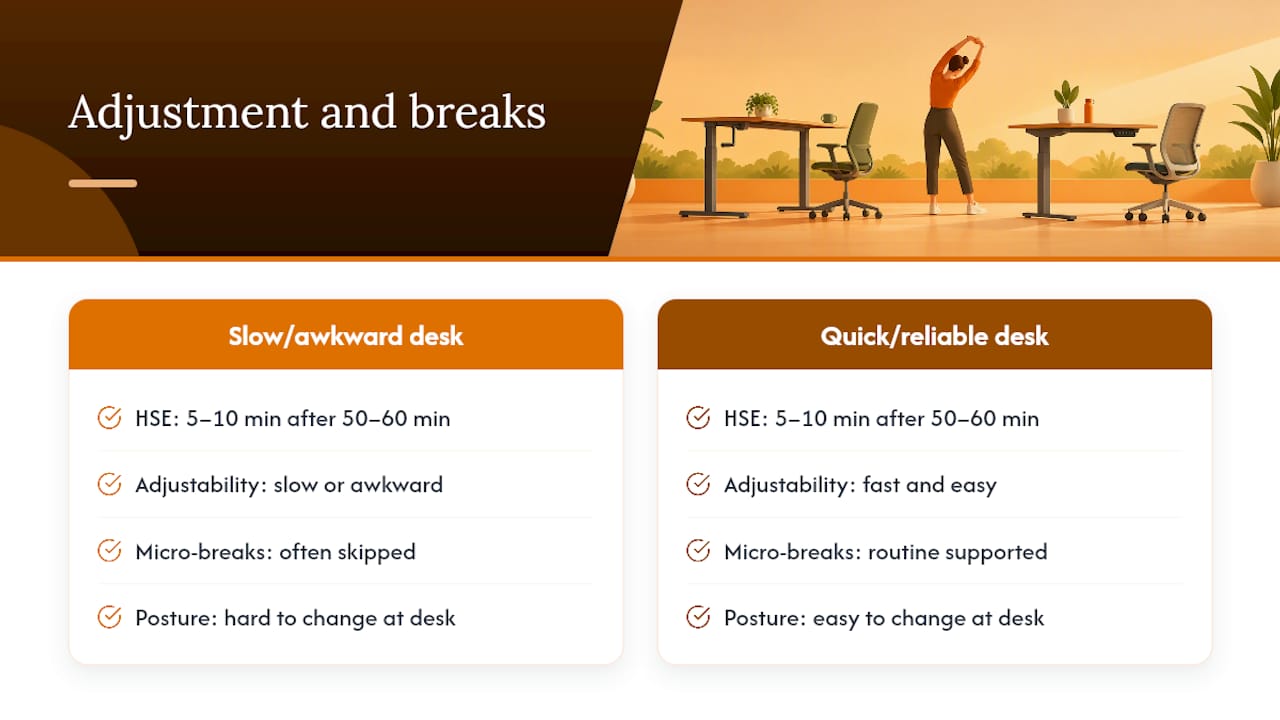
Under display screen equipment rules, a workstation includes the desk, chair, screen and the space around them, and adjustability is part of what makes that workstation suitable for the person using it. HSE work-routine guidance recommends short, frequent breaks, typically 5 to 10 minutes after 50 to 60 minutes of intensive screen work, and notes that adjustable workstations help staff change posture without leaving their desk.
That’s where desk choice becomes practical rather than theoretical. A desk that’s slow or awkward to adjust makes people skip the micro-break entirely, while a quick, reliable adjustment (whether crank or electric) supports the routine HSE describes. For guidance on building that routine into a working day, see our standing desk time guidelines.
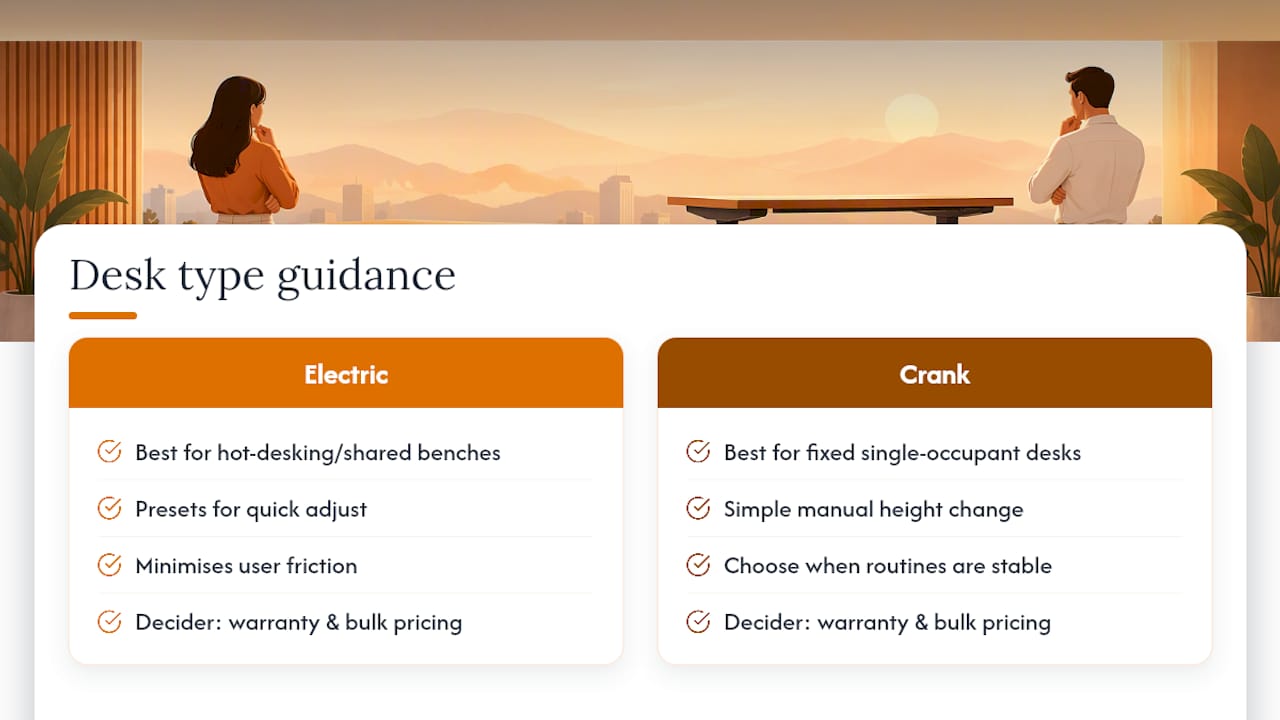
Fit-outs rarely need one desk type across the board. We typically recommend electric frames with presets for hot-desking areas and shared benches, where the goal is minimal friction between users, and cranks for fixed, single-occupant desks where budget matters more than speed.
The rule of thumb that holds up across most enquiries: buy the best frame you can justify for the desks that get shared or adjusted often, and save on simpler cranks where routines are stable. Warranty terms and bulk pricing usually decide the rest.
— Furniture
Some suppliers offer a range of height-adjustable desks alongside chairs, storage and meeting room furniture, with free delivery to the UK mainland and easy returns if a model doesn’t suit your space. Whether you’re weighing up crank versus electric for a single office or specifying dozens of desks across a refurbishment, our team can talk through load requirements, warranty terms and bulk pricing before you commit.

If you’re ready to compare models, browse our office desks range or get in touch to request a quote, ask for full warranty details, or arrange a sample for your team to test before ordering. You can also pair your desk choice with seating from our office chairs range to complete the workstation.
An electric desk is worth the extra cost when a desk is shared, adjusted often, or carries heavy equipment, since the speed and presets reduce the friction that stops people switching position. For a single, fixed-routine desk, a crank can deliver similar ergonomic benefit at a lower cost.
There’s no single best model; the right crank desk depends on your load requirements, desired height range and budget rather than one universal winner. Look for a stated weight capacity and check the gearbox mechanism against your typical usage before ordering.
The best choice depends on how many people share the desk, what equipment it needs to hold, and how strong the warranty on the frame and motor is. Prioritise a desk with clear cycle-test or standards evidence, such as EN 527 or BIFMA X5.5, over brand reputation alone.
Standing desks can encourage people to stand too long if they aren’t paired with a sensible routine, and electric models add motors and electronics that can eventually fail. Following short, regular breaks and posture changes, as set out in HSE’s DSE guidance, helps avoid overusing the standing position.

Phone: 0330 043 4114
VAT no. GB 991 8681 60
Company no. 07250570