Unplug the desk for 30 seconds, plug it back in, then press and hold the down arrow until it reaches its lowest point and settles or briefly rises to confirm the reset. Clear chairs, cables, and monitor arms from underneath first. If the desk completes that sequence and your saved height presets still work afterwards, the reset has done its job.
TL;DR:
- Resetting a standing desk clears most faults caused by controller desynchronization, obstruction detection, loose bolts, or calibration drift.
- Repeatedly running the unplug-and-hold reset twice can ensure better calibration and the proper functioning of stored height presets.
- If a reset fails to fix issues like uneven movement or persistent error codes, suspect mechanical problems, loose cables, or physical obstructions.
- Wobbling desks often result from uneven feet, loose bolts, or lack of stability braces, not from electrical faults or motor failure.
- For ongoing problems or repeated faults, replacing the desk with a model designed for easy serviceability may be more cost-effective than multiple resets.
An electric desk loses its footing when its motors and controller disagree about where the desktop actually is. That mismatch, not a design flaw, causes most of the faults you’ll ever see on a sit-stand desk.
A brief power cut or a knock to the plug can desynchronise the two motors mid-cycle, so one leg thinks it’s higher than it really is. The desk’s obstruction sensors are just as often the culprit: catch a drawer, a chair arm, or an overloaded desktop, and the motor stops dead as a protective measure rather than a genuine breakdown. Common causes requiring a reset tend to fall into four categories, and it’s worth knowing them before you start pressing buttons.
Heavy use accelerates all of this. A desk that gets raised and lowered a dozen times a day, or one carrying a monitor arm with two screens bolted to it, puts more strain on the motors and the frame than the manufacturer’s test rig ever did. That’s not a reason to stop adjusting it; it’s a reason to expect the odd recalibration and not panic when it happens.
Most electric desks respond to the same basic sequence regardless of brand, because the underlying fault, a confused controller, is the same everywhere. Before touching any buttons, run through this short prep list.
This unplug-and-hold method is the reset sequence most manufacturers build their controllers around, and it recalibrates the motors’ understanding of top and bottom without erasing anything permanent in most cases.
Some keypads want a different combination. A handful of models call for pressing the up and down arrows together and holding for anywhere between three and ten seconds, and a few use a dedicated memory button (often marked “M” or with a padlock icon) to trigger a factory reset. Community reports on forums such as Reddit’s standing desk community suggest these variants often work when the basic unplug method doesn’t, though they vary enough between controllers that it’s worth checking the model handbook rather than guessing indefinitely. Herman Miller, for instance, publishes model-specific adjustment steps for its Renew range, and other manufacturers do the same.
Pro Tip: Before you assume the desk is broken, run the reset twice. A first attempt sometimes clears the fault but leaves the presets slightly off, and a second full cycle locks in a clean calibration.
Once you’ve reset it, verify properly rather than eyeballing it. Send the desk to its lowest and highest points using the arrow keys, watching both legs to confirm they arrive together. Then test every saved preset in turn and check the display shows no lingering error code. If all of that passes, you’re done.
A standard reset clears the majority of faults, but some symptoms point to something more specific. Match what your desk is actually doing to the checks below before you assume it’s finished for good.
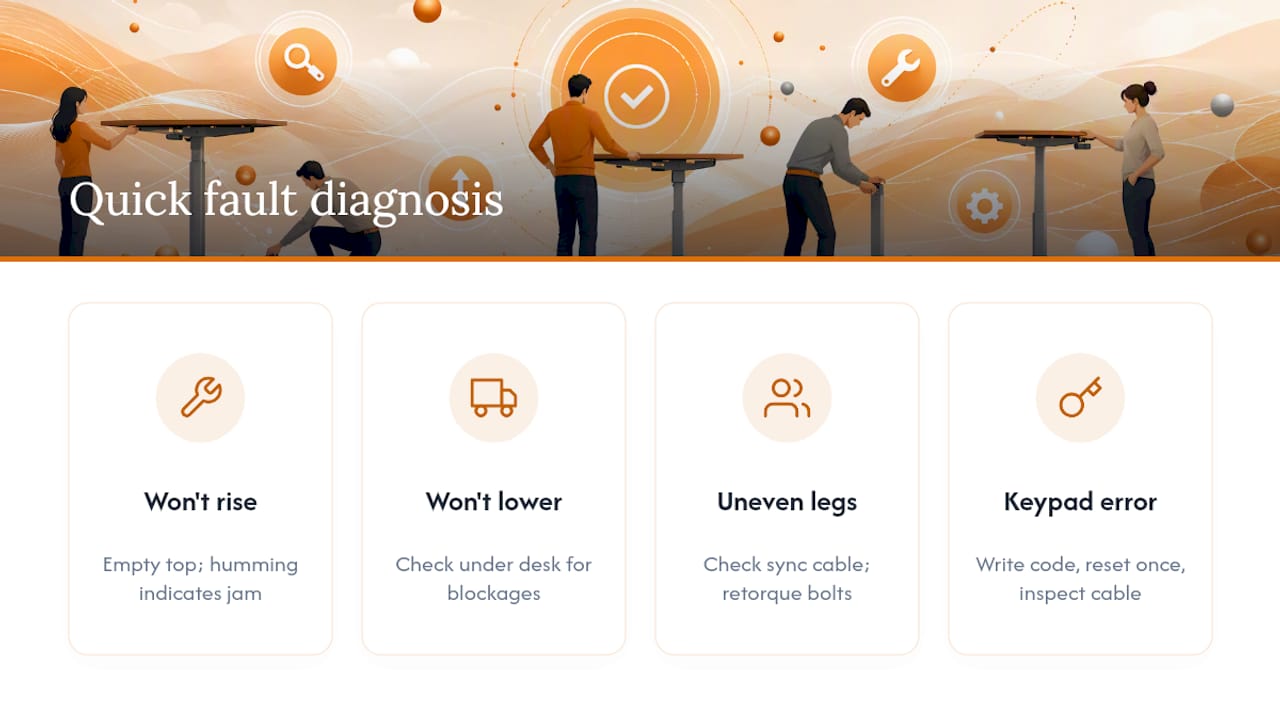
Desk won’t go up. Test it with nothing on the desktop, since an overloaded top can trip the motor’s load limit. Listen for a motor humming without movement, which usually means a mechanical jam rather than an electrical fault. Check both power connectors are pushed home, then repeat the full reset sequence once more before concluding it’s a motor problem.
Desk won’t go down or feels stuck. Look under the desk for anything blocking the legs, including cables that have worked loose from a management tray. If it’s clear and still won’t lower, listen for grinding or binding around the leg columns, which points to a bearing or lead screw issue rather than a controller glitch.
One leg moves and the other doesn’t, or travel is uneven. This is almost always a sync fault. Check the cable connecting the two motor legs hasn’t loosened, retorque any visible frame bolts, then run the reset again. Unsynchronised legs rarely fix themselves without a full recalibration cycle.
Keypad is dead or shows a persistent error code. Write the exact code down before doing anything else. Repeat the reset once. If the code returns immediately, inspect the keypad and cable for visible damage, cracks, or pinched wiring, and contact the manufacturer with the code in hand rather than continuing to guess.
A desk that resets cleanly but still rocks under a keyboard has a mechanical problem, not an electrical one, and the fix is almost always cheaper than people expect.
Start by diagnosing the type of wobble. Push the desktop gently side to side, then front to back, then repeat both at standing height. A desk that only wobbles at full extension usually has a frame or bolt issue rather than a levelling one, while a wobble that’s present at every height more often traces back to uneven feet or a loose top plate.
These stability fixes work in that order for a reason: level the feet and retorque the bolts before spending money on a crossbar or a new frame. A monitor arm loaded with two large screens can also introduce a leverage effect that feels like wobble but is really just weight distribution, so it’s worth checking how monitor arms affect your setup before assuming the frame itself is at fault.
Pro Tip: If a desk only wobbles when someone leans on one corner while typing, it’s very likely a levelling issue, not a structural one. Genuine frame flex shows up as movement across the whole desktop, not just where someone’s resting their weight.
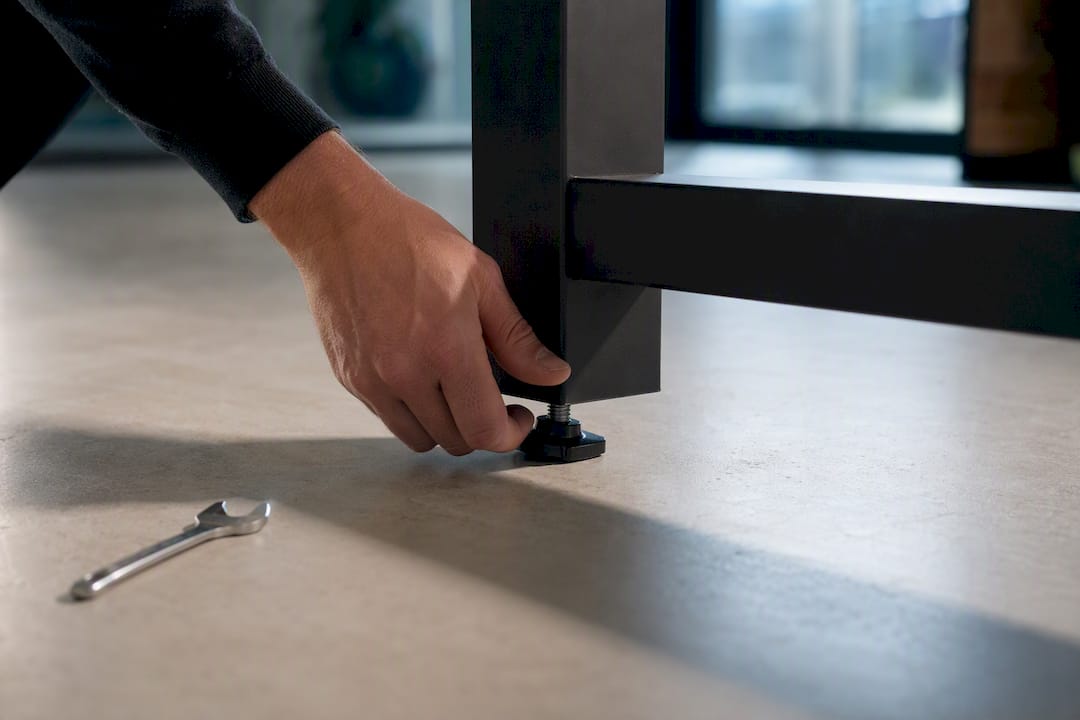
If none of that resolves it and the desk still rocks against a wall or a fixed point, wall anchors can help. For desks used in high-traffic areas, accepting that a four-leg frame is simply more stable than a two-leg one is sometimes the honest answer rather than another round of tightening.
Some faults are worth escalating rather than working around. Grinding or clicking noises from inside a leg column, movement that stays asymmetric after you’ve relevelled and retorqued the frame, or an error code that returns immediately after every reset all point to a mechanical or electrical fault beyond a DIY fix.
Before contacting support, gather what they’ll actually need:
Documenting the fault properly speeds up manufacturer triage considerably and avoids the common cycle of a control box being swapped out when a cable connector was the real problem all along, a point echoed in most controller reset guides. If you ever notice smoke, sparks, or a burning smell, stop immediately. Isolate the power at the wall and get a qualified electrician or the manufacturer involved rather than attempting any further resets yourself.
A desk that gets retorqued once in its first week of use rarely develops the wobble complaints that flood in three months later. After that initial check, a quick look every 30 to 90 days, feet, bolts, cable routing, catches most faults before anyone notices them.
When specifying desks for a fit-out, build the checklist around serviceability rather than just price. Look for a stated load rating, a crossbar or equivalent stability brace as standard, adjustable feet rather than fixed glides, and cable access that doesn’t require dismantling the frame. HSE’s guidance on display screen equipment is explicit that workstation equipment has to be properly maintained, not just correctly specified at purchase, which makes a maintenance schedule as much a procurement decision as the desk itself.
The internet’s advice on standing desks skews towards the dramatic fix: replace the control box, buy a crossbar kit, order a new frame. The unplug-and-hold reset gets treated as a footnote when it’s usually the whole answer. Many faults reported by office teams often turn out to be a loose connector or an obstruction the desk’s sensor detected, not a dying motor.
The bigger gap in conventional advice is verification. Plenty of guides tell you how to reset a desk and stop there, without mentioning that you need to test both legs moving together and every saved preset afterwards. A reset that looks successful but leaves one leg a few millimetres out will show up as wobble weeks later, and by then it looks like a completely different problem.
If there’s one thing to prioritise, it’s sequencing: reset before you retorque, retorque before you buy parts, and buy parts only after you’ve actually tested the desk moving under no load. Skipping straight to a replacement crossbar or a new control box on the first sign of trouble wastes money that a 30 second unplug would have saved.
— Furniture
Not every fault is worth chasing forever. If a desk has genuine motor wear, a cracked keypad, or a frame that’s been retorqued and shimmed as far as it’ll go, replacing it is often cheaper than the hours spent troubleshooting it. Furnitureforbusiness supplies height-adjustable desks built with serviceable cable access, stated load ratings, and stability bracing as standard, so the wobble and sync faults covered in this guide are far less likely to turn up in the first place.

Browse the office desks range for replacement frames and bundles, or work through the height-adjustable desk setup guide if you’re specifying desks for a wider office fit-out and want to get the installation right the first time.

Phone: 0330 043 4114
VAT no. GB 991 8681 60
Company no. 07250570