An anti-collision system stops and briefly reverses a desk when it meets an obstacle, and it’s strongly recommended for any office sit-stand desk operating near furniture, walls, or frequent foot traffic. Fitting one is only half the job, though. How well it works depends entirely on the sensor approach and how carefully it’s calibrated once installed.
TL;DR:
- Sensor fusion combining motor current monitoring with gyroscopic sensors offers the most reliable detection for multi-desk office layouts with many obstacles.
- Control boxes like LINAK’s CBD6S and DL IC support anti-collision modules either natively or through compatible add-ons, but confirmation is essential before purchase.
- Proper calibration involves confirming at least 3 to 5 centimeters of clearance around the desk, routing cables carefully, and running staged travel tests at different loads.
- Repeated nuisance stops often stem from loose cables, soft flooring, or overloaded tables, which are fixable with proper setup adjustments rather than hardware faults.
- Procurement should specify sensor type, sensitivity, control box compatibility, calibration procedures, and warranty terms to ensure effective anti-collision safety.
A collision prevention desk doesn’t just detect that something has gone wrong. It actively stops the motor and reverses the desk’s height by a short, engineered distance before damage or injury happens. That distinction matters when you’re comparing quotes: collision detection alone might log an event after the fact, while proper avoidance intervenes mid-travel.
For a business fitting out an open-plan floor with dozens of sit-stand desks, the case is straightforward. A desk that reliably stops before crushing a drawer unit or a colleague’s fingers protects three things at once:
None of this replaces basic workspace discipline. Anti-collision won’t fix bad cable routing, insufficient clearance, or a desk overloaded on one side, and treating it as a substitute for those things is where most nuisance problems start. The HSE’s guidance on display screen equipment is clear that workstation layout and equipment choice sit within a proper DSE risk assessment, with anti-collision as one useful layer on top of that, not a replacement for it.
Three underlying technologies do the detection, and knowing the difference lets you ask sharper questions of any supplier.
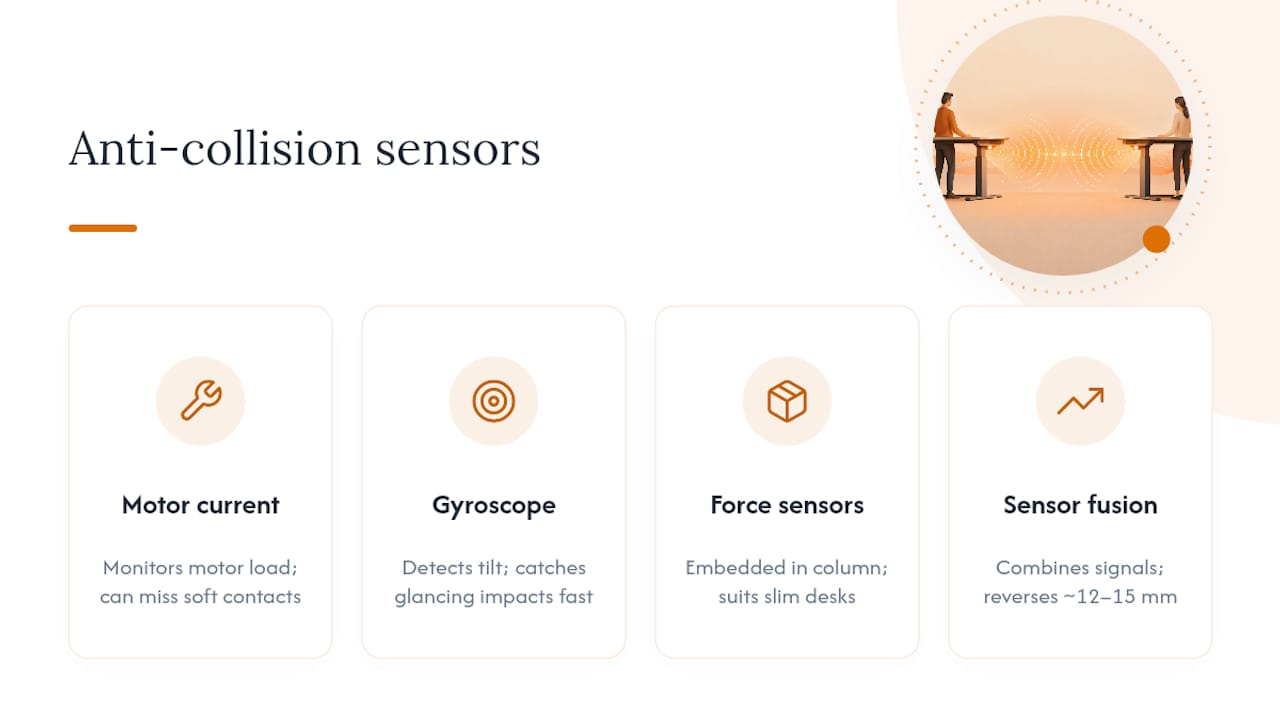
Motor current monitoring watches the electrical load on the lifting motor. When the desk meets resistance, current draw spikes, and the control box interprets that as an obstruction and reverses. It’s cheap and universal, but it has a real weakness: light or soft obstacles (a stack of paper, someone’s arm) don’t always raise current enough to trigger a stop, and there’s inherent latency between contact and detection.
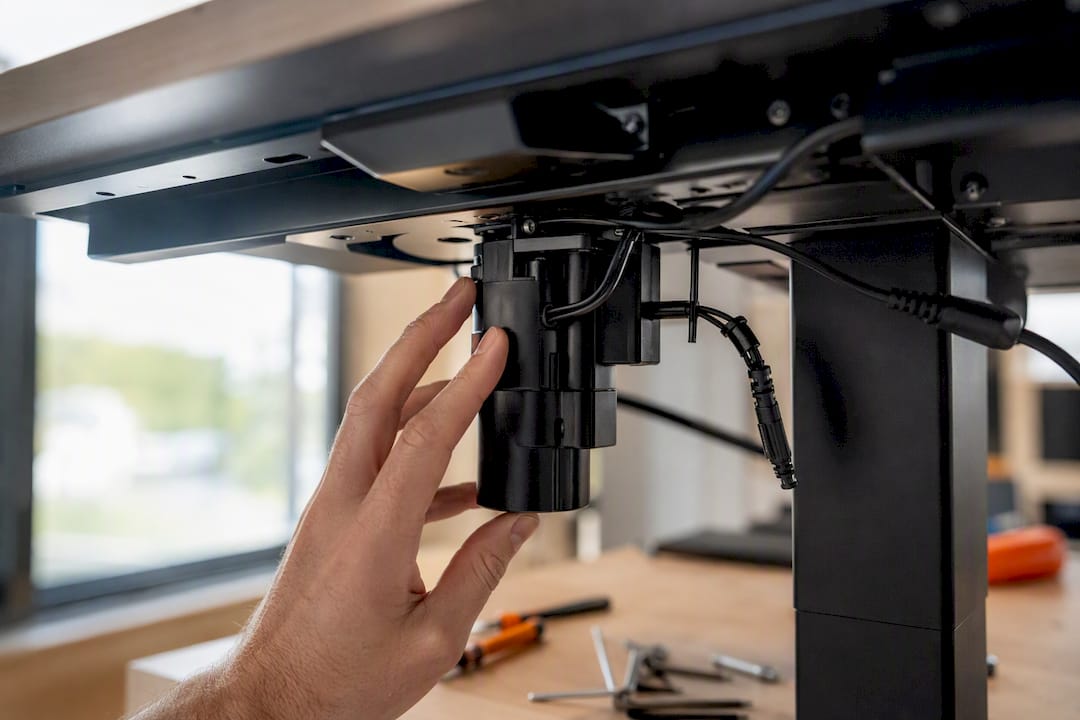
MEMS gyroscopic sensors, such as those used in add-on units, measure tilt rather than current. If a desktop starts to angle because one edge has struck something, the gyroscope catches that movement almost immediately, which makes it considerably better at catching side impacts and glancing contacts that current-only systems miss entirely.
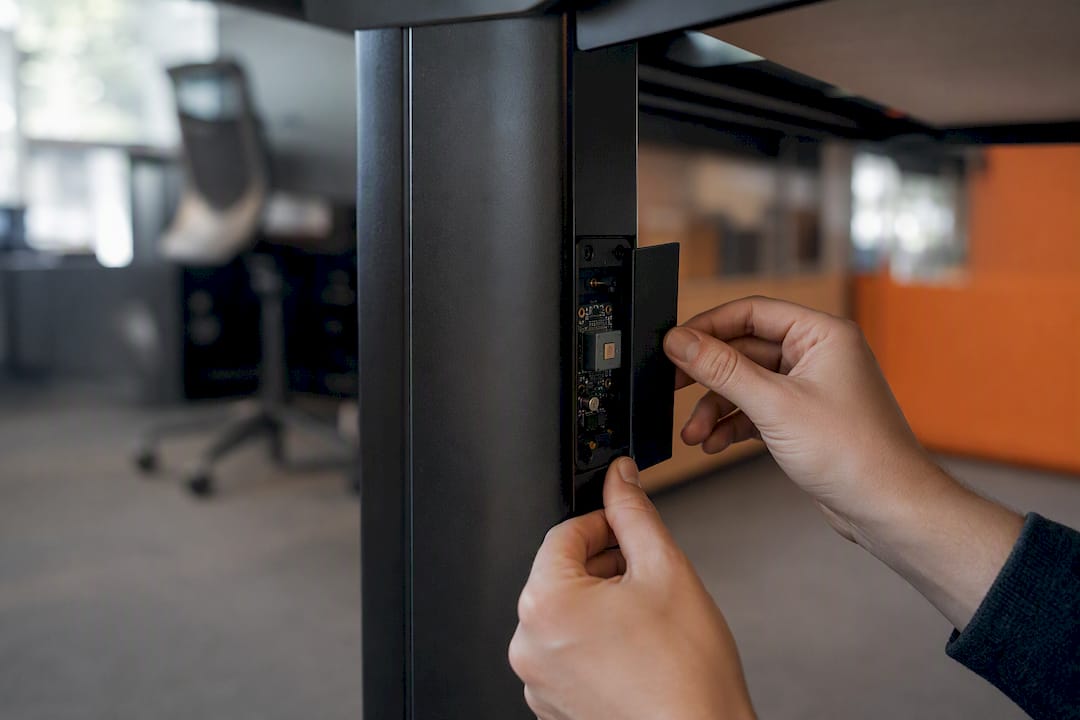
Piezo and column-integrated force sensing is a third route, embedding the sensing directly into the column rather than bolting on a separate device, which can suit slimmer desk designs where an external unit isn’t practical.
The strongest specification combines these signals rather than relying on one. Sensor fusion, pairing motor current data with gyroscope input, catches far more edge cases than either method alone and performs consistently regardless of load or ambient temperature. When a collision is detected, most quality systems reverse the desk by roughly 12 to 15 millimetres, enough to relieve pressure on the gearing without the desk lurching away from the user.
For anything beyond a single desk in a quiet corner, current-only detection is the weaker choice. Complex office layouts, with multiple desks, storage units, and moving chairs nearby, generate exactly the kind of glancing, low-force contact that current monitoring alone tends to miss, which is why sensor fusion is worth insisting on for any multi-desk rollout.
Most modern control boxes support anti-collision natively or accept an add-on module, but compatibility isn’t universal, and it’s worth confirming before you order rather than after.
Daisy-chaining has practical limits worth knowing before you specify a bench run: beyond four units, signal reliability and installation complexity both increase, so very long shared desking often needs a different control architecture entirely. Ask the supplier directly how many sensors their system supports on one chain before you commit to a layout.
A vague brief gets vague answers. Specify these points in writing and you’ll filter out suppliers who can’t actually back their claims.
Pro Tip: Ask for the sensor’s reversal distance in writing before you order. If a supplier can’t quote a figure, that usually means they haven’t tested it under real load conditions, only in a lab with a light desktop.
Reference points like BIFMA’s ergonomics guidance are useful here too. Suppliers who can point to guidance-aligned documentation, rather than just internal marketing claims, are generally easier to hold to account later.
Getting the sensor right on day one saves months of nuisance callouts later.
Pro Tip: Log every monthly bump test in a shared spreadsheet with date, desk ID, and result. When a fault does turn up, you’ll have a clear pattern to hand your supplier instead of a vague complaint.
Full setup detail, including desk positioning and safe first-use checks, is covered in our height-adjustable desk setup guide.
Nuisance stops are almost always fixable on-site rather than a fault with the desk itself.
Fixing these usually means re-routing cables away from moving parts, stiffening or better-supporting the tabletop, or adjusting sensitivity if the control system allows it. If a desk still fails after you’ve addressed all three and sensitivity has been tuned correctly, or if the unit simply won’t hold calibration between tests, that’s a supplier issue rather than a setup one. Escalate to warranty or service at that point rather than continuing to work around it. Prioritising ergonomic design at the layout stage prevents most of these problems before they start.
We’ve fitted out enough open-plan floors to know that anti-collision earns its cost the first time it stops a desk mid-lift instead of after the fact. Furnitureforbusiness specialises in height-adjustable desks, seating, storage, and meeting room furniture for UK businesses ranging from small teams to 500-person offices, and we’ve watched procurement teams treat collision safety as an afterthought far too often, usually right up until the first damaged drawer unit or trapped cable arm.
Our view: sensor fusion should be the default spec for any multi-desk office, not a premium upsell. With free delivery across the UK mainland and bulk pricing built for teams of any size, getting this right at the ordering stage costs nothing extra and saves a great deal of hassle later.
— Furniture
If you’ve been comparing quotes and getting vague answers about sensor type, that’s usually the clearest sign a supplier hasn’t tested their own product properly. Furnitureforbusiness fits sensor fusion detection as standard across its height-adjustable range, so you’re not left guessing whether a desk will actually stop before it damages a filing cabinet or catches a colleague’s hand.

Browse the full height-adjustable desk range to compare specifications, or start with a model built specifically around cable and clearance management, such as the Air Height Adjustable Slimline Desk with Cable Ports. For fit-outs beyond a handful of desks, our team can talk you through bulk pricing, installation support, and warranty terms before you commit to a single unit. Get in touch through Furnitureforbusiness to request a quote or ask about installation advice for your specific office layout.

Phone: 0330 043 4114
VAT no. GB 991 8681 60
Company no. 07250570