Setting up height adjustable desks correctly transforms office comfort and productivity, yet many managers struggle with the technical details. Poor desk height causes neck strain, wrist pain, and reduced focus across teams. This guide walks you through precise measurements, memory programming, workspace organisation, and safety checks to create ergonomic workstations that support employee wellbeing and performance.
| Point | Details |
|---|---|
| Elbow measurement | Measuring elbow height at 90 degrees determines accurate desk positioning for sitting and standing. |
| Memory presets | Programming height settings enables quick switches between postures, boosting user compliance. |
| Workspace layout | Positioning monitors, keyboards, and accessories correctly complements desk height adjustments. |
| Common errors | Obstructed travel paths and incorrect angles cause discomfort but are easily preventable. |
| Safety maintenance | Regular inspections and clearance gaps ensure longevity and prevent pinch hazards. |
Proper preparation prevents setup frustration and ensures accurate ergonomic positioning from the start. Gathering the right tools and measurements before adjusting desk height saves time and delivers better results.
You need these essential items:
Measure each user’s seated elbow height carefully. Have them sit upright with feet flat on the floor and arms bent at precisely 90 degrees. Record the distance from floor to elbow. This measurement forms the foundation for both sitting and standing desk heights.
Clear everything from the desk surface before starting adjustments. Check underneath and around the desk frame to ensure nothing blocks the desk’s travel path. Cables, storage boxes, or furniture positioned too close can obstruct movement and damage the motor mechanism.
| Preparation task | Time required | Importance |
|---|---|---|
| Measure elbow heights | 2 minutes per user | Critical for comfort |
| Clear workspace | 5 minutes | Prevents motor damage |
| Gather tools | 3 minutes | Ensures smooth process |
| Test chair stability | 1 minute | Supports accurate measurement |
Precise measurements prevent musculoskeletal injuries that develop from prolonged poor posture. The Health and Safety Executive reports that improper workstation setup contributes significantly to workplace absence. Taking five extra minutes during initial setup saves months of discomfort later.
Adjusting desk height correctly requires methodical steps that establish ergonomic positions for both seated and standing work. Follow this sequence to achieve optimal comfort.
Adjust your chair first. Set the seat height so your feet rest flat on the floor with thighs parallel to the ground. Your hips should sit slightly higher than your knees.
Sit naturally and bend your arms at 90 degrees. Measure from the floor to the bottom of your elbow. This measurement indicates your ideal sitting desk height.
Use the desk control panel to adjust the surface to match your measured elbow height. Most desks display height digitally, making precise adjustments straightforward.
Place your hands on the keyboard in working position. Your wrists should remain straight and level, not bent upward or downward. Shoulders stay relaxed, not hunched or elevated.
For standing height, add approximately 100 to 125 millimetres to your sitting desk height as a starting point. Stand naturally and raise the desk until your elbows again reach 90 degrees.
Test your standing posture. Weight should distribute evenly across both feet, with knees slightly soft rather than locked. Your neck stays neutral, not craning forward or tilting down.
Make micro-adjustments of 10 to 15 millimetres until the position feels comfortable. Small changes significantly impact long-term comfort during extended work sessions.
Proper desk height aligns elbows at 90 degrees while sitting and standing to prevent strain. This positioning keeps forearms parallel to the floor, reducing pressure on wrists and shoulders throughout the workday.
Pro Tip: Test your adjustments whilst wearing your usual work shoes and standing on your anti-fatigue mat if you use one. Footwear height and mat compression affect your final standing position by 20 to 30 millimetres.
Memory presets eliminate daily measurement hassles by storing your optimal heights for instant recall. Most modern height adjustable desks include two to four programmable positions.
Locate the control panel, typically mounted under the desk surface or on the edge. Look for numbered buttons labelled 1, 2, 3, or similar designations alongside the height adjustment controls.
Adjust the desk to your preferred sitting height using the up and down arrows. Wait until the desk stops moving completely before programming.
Press and hold the memory button marked “1” or “M1” for three to five seconds. Most systems beep or flash to confirm the setting has saved successfully.
Raise the desk to your standing height. Again, wait for the mechanism to stop fully before programming the next preset.
Press and hold memory button “2” or “M2” until you hear confirmation. Your standing height is now stored for one-touch recall.
Test both presets by pressing each button once. The desk should move automatically to the saved height without requiring you to hold the button down.
If presets need adjustment, simply move the desk to the corrected height and reprogram that memory slot. The new setting overwrites the previous one.
Memory presets simplify switching between sitting and standing, improving user compliance. Research shows employees alternate positions 50% more frequently when recall takes under five seconds versus manual adjustments.
Pro Tip: Programme multiple user profiles on shared desks by using all available memory slots. Assign preset 1 and 2 to the primary user, and presets 3 and 4 to the secondary user for seamless hotdesking.
Desk height adjustment forms just one element of ergonomic setup. Arranging monitors, keyboards, and accessories correctly completes the comfortable workspace that supports productivity.
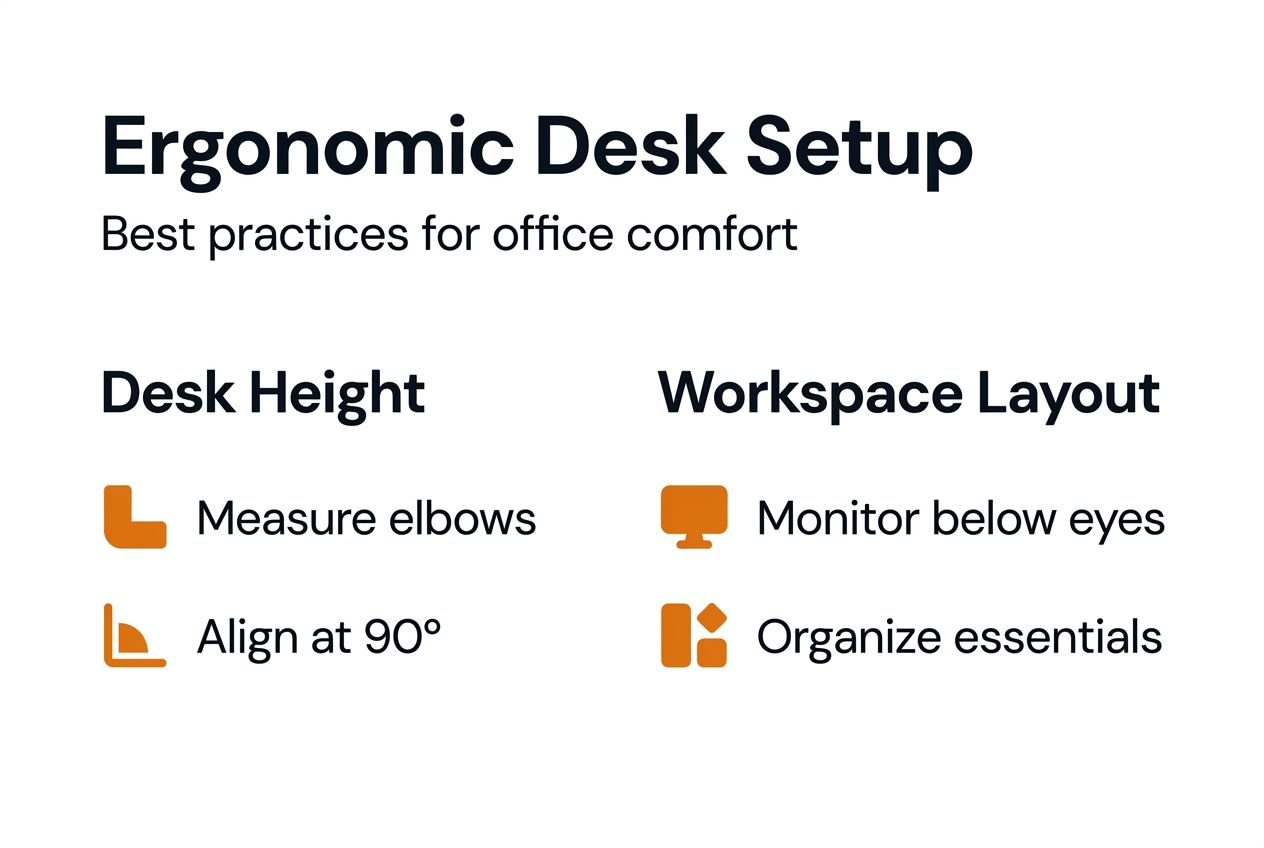
Position your monitor so the top edge sits just below eye level when seated. This placement keeps your neck in neutral position, preventing the forward head posture that causes cervical strain. For dual monitors, angle them slightly inward with the primary screen directly in front of you.
Keep your keyboard and mouse close enough that your elbows stay near your body. Reaching forward repeatedly fatigues shoulder muscles and compresses nerves in the arms. Your keyboard should sit approximately 100 to 150 millimetres from the desk edge.
Consider these ergonomic accessories:
Arrange frequently used items within a 400 to 500 millimetre radius of your primary work position. Phones, notebooks, and desk supplies positioned beyond this zone force repeated overreaching that strains shoulders and back muscles.
Models like the height adjustable slimline desk include integrated cable management ports that route wires through the desk surface, maintaining tidy workspaces. The ergonomic height adjustable desk offers spacious surfaces suitable for multiple monitors whilst providing smooth height transitions.
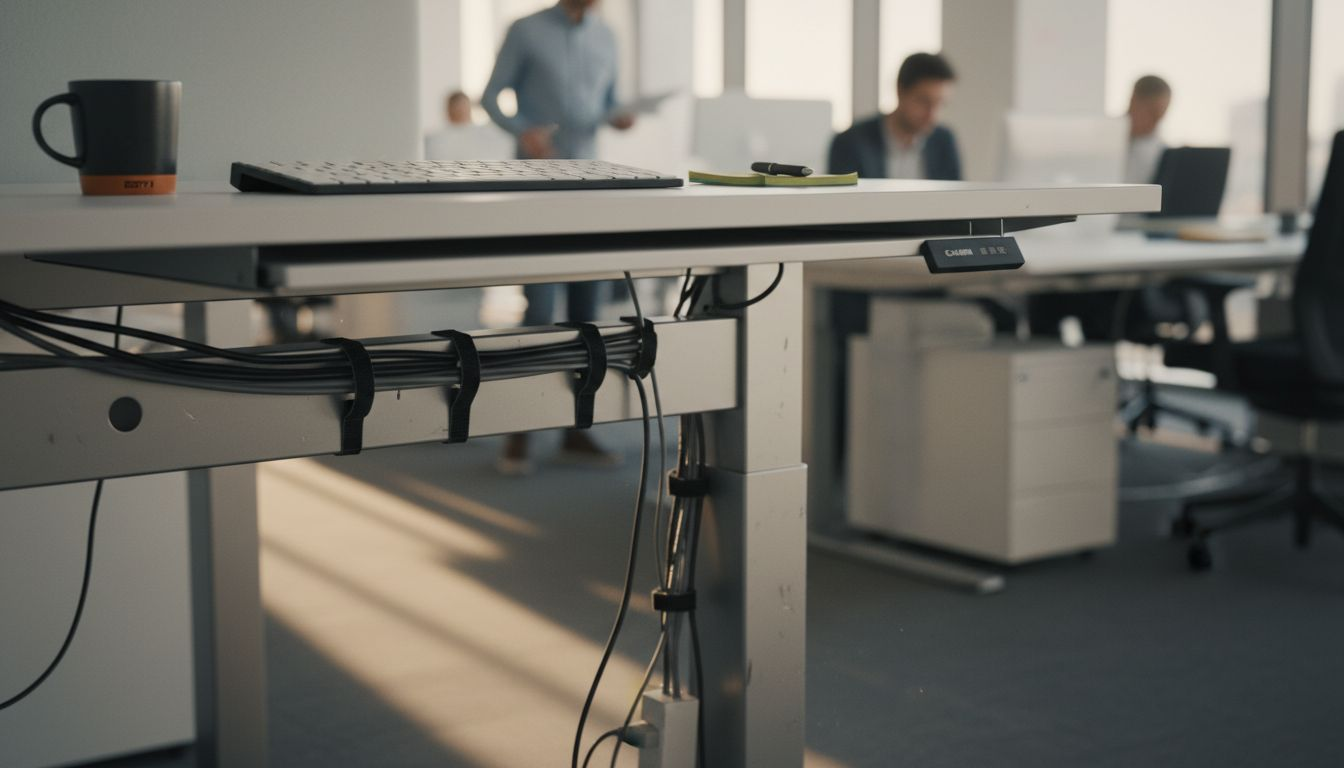
Cable management deserves particular attention. Loose cables create trip hazards and can catch on desk mechanisms during height changes. Use cable trays mounted underneath the desk surface or vertical cable spines attached to the desk leg to keep wires organised and out of the travel path.
Even with careful setup, certain errors occur frequently during height adjustable desk installation. Recognising these issues helps you avoid problems and maintain safe operation.
These mistakes appear most often:
Failing to clear the desk path causes motor obstruction and damage. Bins, filing cabinets, or chair arms positioned too close prevent full desk travel and can strip gears inside the lifting mechanism.
Perform control panel resets when the desk behaves erratically or presets stop working. Unplug the desk completely for 30 seconds, then reconnect power. Most systems reset automatically upon restart, clearing software glitches. Check your manufacturer’s manual for model-specific reset procedures if problems persist.
Posture errors develop when users set desk height incorrectly. Double-check that your elbows truly form 90-degree angles rather than acute or obtuse positions. Use a smartphone level app or protractor to verify angles objectively if you’re uncertain.
Distribute weight evenly across the desk surface and respect manufacturer capacity limits, typically 70 to 100 kilograms for standard office desks. Concentrated loads in one area stress the frame unevenly and can cause tilting or mechanical failure.
Safety Warning: Height adjustable desks create pinch points where the desk surface meets the frame during movement. Keep hands, cables, and objects clear of these areas when adjusting height. Maintain at least 25 millimetres clearance between the desk and surrounding furniture to prevent crushing hazards.
Ongoing safety practices protect users and extend desk lifespan well beyond the initial setup period. Regular attention to these factors prevents accidents and costly repairs.
Maintain minimum clearance gaps of at least 25 millimetres between the desk and all surrounding objects. This spacing prevents pinch hazards when the desk lowers and allows smooth movement without catching on adjacent furniture. Wall-mounted items should sit 50 millimetres above the desk’s maximum height to avoid collisions.
Inspect your desks monthly for these issues:
Only trained personnel should operate height adjustable desks. Provide brief orientation sessions for new employees covering control panel functions, preset usage, and clearance requirements. Children and visitors should never operate desk controls unsupervised.
Electrical safety demands attention in office environments. Plug desks directly into wall sockets rather than extension leads or overloaded power strips. Keep liquids away from control panels and motors. If liquid spills occur, disconnect power immediately and allow 24 hours drying time before reconnecting.
Schedule professional servicing if mechanical problems develop. Attempting DIY repairs on motorised components voids warranties and creates safety risks. Contact authorised service providers for replacement parts and technical repairs to maintain proper function and safety certification.
Proper height adjustable desk setup delivers measurable improvements in comfort, health, and productivity. Understanding these outcomes helps you evaluate effectiveness and justify ergonomic investments.
Your successfully configured workstation achieves these metrics:
Research from occupational health studies shows ergonomic desk setup reduces musculoskeletal discomfort by up to 40% compared to fixed-height workstations. Employees report fewer headaches, reduced shoulder tension, and decreased lower back pain within three weeks of proper setup.
Productivity gains emerge as comfort improves. Workers spend less time adjusting posture, taking pain relief breaks, or dealing with fatigue-related concentration lapses. Average task completion speeds increase 8 to 12% once ergonomic positioning becomes habitual.
| Feature | Manual crank desks | Electric preset desks | Impact difference |
|---|---|---|---|
| Height adjustment speed | 45-60 seconds | 8-12 seconds | 5x faster |
| Position switching frequency | 1-2 times daily | 4-6 times daily | 3x more transitions |
| Adjustment accuracy | ±15mm variation | ±2mm precision | 87% more accurate |
| User compliance rate | 35-45% | 75-85% | 40-50% higher |
| Setup time per user | 8-10 minutes | 3-4 minutes | 60% time savings |
Electric desks with memory presets dramatically outperform manual alternatives in real-world office settings. The convenience factor drives consistent usage, which ultimately determines whether ergonomic benefits materialise.
Track these indicators to measure ongoing success. Survey employees monthly about comfort levels and adjustment frequency. Monitor sick leave patterns for musculoskeletal complaints. Calculate desk preset usage through control panel logs if your models include this feature.
Creating truly ergonomic workspaces extends beyond desk height to encompass integrated furniture systems that support employee wellbeing. The right combination of adjustable elements maximises comfort whilst accommodating diverse body types and work styles.

Explore our comprehensive office desks collection featuring height adjustable models with programmable presets, cable management systems, and robust construction suitable for intensive commercial use. Pair these with ergonomic office chairs offering lumbar support, adjustable armrests, and synchronised recline mechanisms that complement your desk setup.
Complete your ergonomic office transformation with our office accessories range, including monitor arms, keyboard trays, and anti-fatigue mats designed specifically for professional environments. Our team provides expert guidance on selecting compatible products that integrate seamlessly into your workspace planning.
You need a measuring tape for elbow height calculations, an adjustable chair with stable positioning, and a clear workspace free from obstructions. An optional anti-fatigue mat helps if you plan extended standing periods. These basic items enable accurate calibration and safe operation.
Locate the numbered memory buttons on your control panel, typically marked M1, M2, or similar. Adjust the desk to your desired height, then press and hold the memory button for three to five seconds until you hear a confirmation beep. Press the button once later to recall that exact height instantly.
The most frequent errors include failing to clear the desk movement path of obstructions, estimating rather than measuring elbow angles accurately, and overloading the desk surface beyond manufacturer weight limits. Ignoring safety instructions about pinch points and minimum clearance gaps also creates hazards during operation.
Maintain at least 25 millimetres clearance between the desk and surrounding furniture or walls. Inspect desks monthly for loose components, damaged cables, or unusual noises during movement. Restrict operation to trained personnel only, and always use authorised repair services rather than attempting DIY mechanical fixes.

Phone: 0330 043 4114
VAT no. GB 991 8681 60
Company no. 07250570